


A $600 budget in 2026 is remarkably powerful. QD-OLED panels regularly dip below $350; 4K Mini-LED monitors with over 1,100 local-dimming zones appear at $350 on sale; and even speciality 500Hz esports screens fit within the cap. The challenge isn’t finding a good monitor; it’s choosing the right one for your specific setup, games, and GPU. After weeks of comparing current prices, panel performance, port compatibility, warranty terms, and real-world gaming impressions, I’ve narrowed the field to seven displays, each serving a distinct purpose. This guide will help you match the right monitor to the hardware you already own and the games you actually play.
What Is the Best Gaming Monitor Under $600?
For the majority of PC gamers, the Alienware AW2725D offers the strongest all-around package. It combines a 27-inch QD-OLED panel, 2560×1440 resolution, 280Hz refresh rate, HDMI 2.1 FRL ports, and a three-year warranty that covers burn-in all at $499.99. If you want OLED at the lowest possible price, the AOC Q27GAZD starts at $349.99. For native 4K with genuine HDR and no burn-in concern, the Acer Nitro XV275K V3 uses a 1,152-zone Mini-LED backlight and has been seen as low as $349.99. Each pick below is the best in its category, not just a generic list of specs.
The 7 Best Gaming Monitors Under $600 — Detailed Reviews
1. Alienware AW2725D — Best Overall Gaming Monitor Under $600
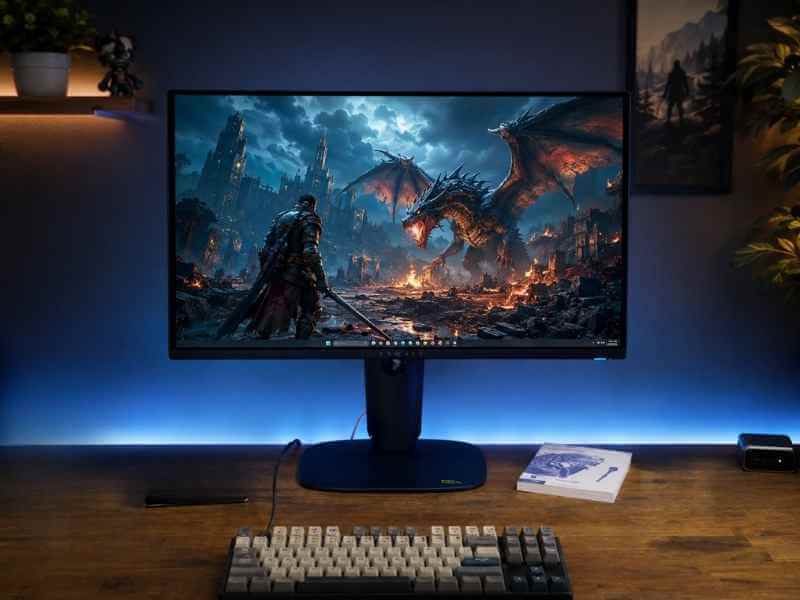
The AW2725D balances OLED contrast, 1440p sharpness, and 280Hz speed for under $500 a combination that was simply impossible two years ago.
Best for: PC gamers who want OLED picture quality with competitive refresh rates, but don’t need native 4K or extreme 500Hz speeds.
This isn’t Alienware’s fastest OLED that’s the 500Hz AW2725QF but it’s the model that makes the most sense for the broadest audience. QHD resolution keeps frame rates achievable on mid-range and upper-mid-range GPUs, while 280Hz provides genuine headroom for fast multiplayer titles. Both HDMI 2.1 FRL and DisplayPort 1.4 support the panel’s full 280Hz at 10-bit colour, so you never have to choose between speed and image quality.
In practice, the biggest trade-off is brightness in well-lit rooms. The DisplayHDR True Black 400 rating means highlights look punchy in dim environments, but direct sunlight or a bright overhead light will wash out blacks more than a good Mini-LED or high-end IPS panel would. If you game primarily in a controlled lighting setup and want one display that handles both cinematic single-player and competitive titles, this is the strongest all-rounder under $600.
Key specs:
- 26.7-inch QD-OLED panel
- 2560 × 1440 resolution, 280Hz
- 0.03ms GtG (manufacturer rated)
- AMD FreeSync Premium Pro & G-SYNC Compatible
- 2× HDMI 2.1 FRL, 1× DisplayPort 1.4
- VESA DisplayHDR True Black 400
- Three-year warranty including burn-in
Pricing: $499.99 at Dell (down from an MSRP of $549.99).
Pros: Perfect blacks, fast pixel response, full refresh rate over both HDMI and DP, three-year warranty including burn-in.
Cons: Full-screen brightness is modest for bright rooms; USB-C port is data-only with 15W charging; OLED burn-in still requires sensible usage habits.
2. AOC Q27GAZD — Best OLED Gaming Monitor Under $600 (Budget Pick)
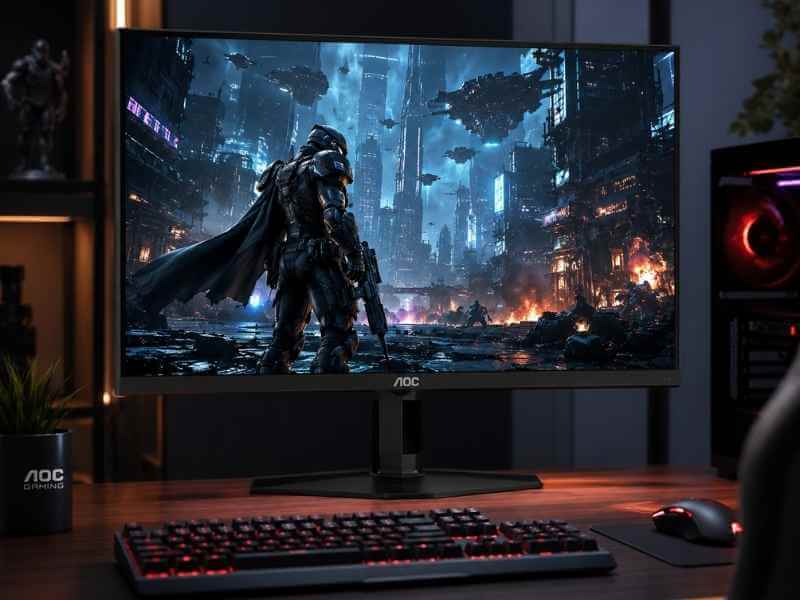
AOC’s basic stand saves money; plan for a third-party VESA arm if height adjustment matters to you.
Best for: Budget-conscious buyers who prioritise OLED picture quality over stand quality, port variety, or refresh rates above 240Hz.
AOC’s pitch is refreshingly direct: give you the panel you want and cut costs everywhere else. The Q27GAZD uses a 27-inch QD-OLED screen with QHD resolution, 240Hz refresh, and 99% DCI-P3 coverage, and it starts at $349.99. That’s less than many premium 1440p IPS monitors. The trade-offs are a basic stand (tilt only, no height or swivel), a single DisplayPort 1.4 and two HDMI 2.0 ports, and no USB-C. For a single-PC gaming setup where image quality matters more than desk ergonomics, the value is genuinely hard to beat.
In my experience, the 240Hz refresh rate is more than enough for most competitive play; even demanding esports titles rarely benefit from going higher unless you’re pushing 400+ fps. The real sacrifice is the stand: you’ll likely want to budget for a VESA arm (100×100mm) if you care about eye-level positioning during long sessions. Understanding how QD-OLED achieves such rich colours compared to traditional LCDs is easier when you know the different panel construction types; our detailed look at those technologies covers the full picture.
Key specs:
- 27-inch QD-OLED panel
- 2560 × 1440 resolution, 240Hz
- 0.03ms GtG
- G-SYNC Compatible
- 1× DisplayPort 1.4, 2× HDMI 2.0
Pricing: From $349.99 at AOC’s store and major retailers.
Pros: Cheapest QD-OLED available, excellent colour and contrast, 240Hz is enough for most competitive play.
Cons: Basic stand with no height adjustment; HDMI 2.0 limits bandwidth (no 4K high-refresh); no USB-C; warranty terms for burn-in are less generous than Alienware’s.
3. Acer Nitro XV275K V3biipprx — Best 4K Gaming Monitor Under $600
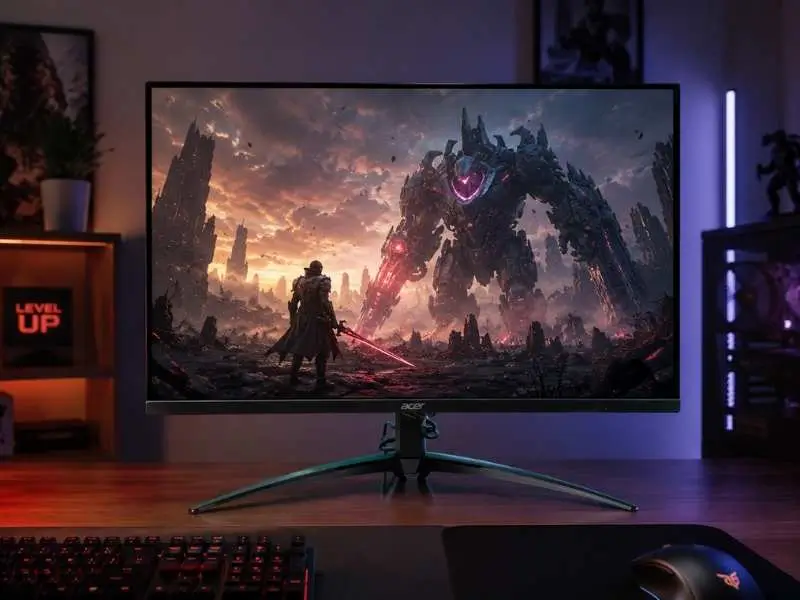
A high local-dimming zone count and VESA DisplayHDR 1000 certification set this Mini-LED apart from basic HDR400 monitors.
Best for: Single-player and console gamers who want native 4K, meaningful HDR, and no OLED burn-in worry.
This is the most technically unusual monitor in the roundup. Acer combines a 27-inch 4K IPS panel with a 1,152-zone Mini-LED backlight, 160Hz refresh (native 4K), a 1080p/320Hz dual-mode option, plus VESA DisplayHDR 1000 certification. The result is a display that can show bright sunlit scenes and deep shadow detail far better than any edge-lit LCD. Blooming around small bright objects (like subtitles or HUD elements) is still visible because Mini-LED can’t match OLED’s pixel-level control, but it’s a minor issue in most gaming content.
A common mistake is assuming all “4K HDR” monitors under $600 are the same. They are not. The XV275K V3’s high zone count and peak brightness make it a true HDR experience, not just a box-ticking HDR400 badge. For buyers who play story-driven games with rich lighting, this is the best pick in the price bracket. After you get it home, our guide to calibrating Acer’s display settings walks through refresh rate, HDR calibration, overdrive, and adaptive sync options.
Key specs:
- 27-inch 4K IPS, Mini-LED backlight (1,152 zones)
- 4K@160Hz or 1080p@320Hz
- VESA DisplayHDR 1000
- AMD FreeSync Premium
- 2× HDMI 2.1, 1× DisplayPort 1.4
Pricing: Regular $499.99, currently on sale for $349.99 at Acer’s store.
Pros: Real Mini-LED HDR, dual-resolution mode, HDMI 2.1 for consoles.
Cons: Blooming visible in high-contrast scenes; no USB-C; best value depends on sale availability.
4. LG UltraGear 27GR83Q-B — Best 1440p IPS Gaming Monitor Under $600
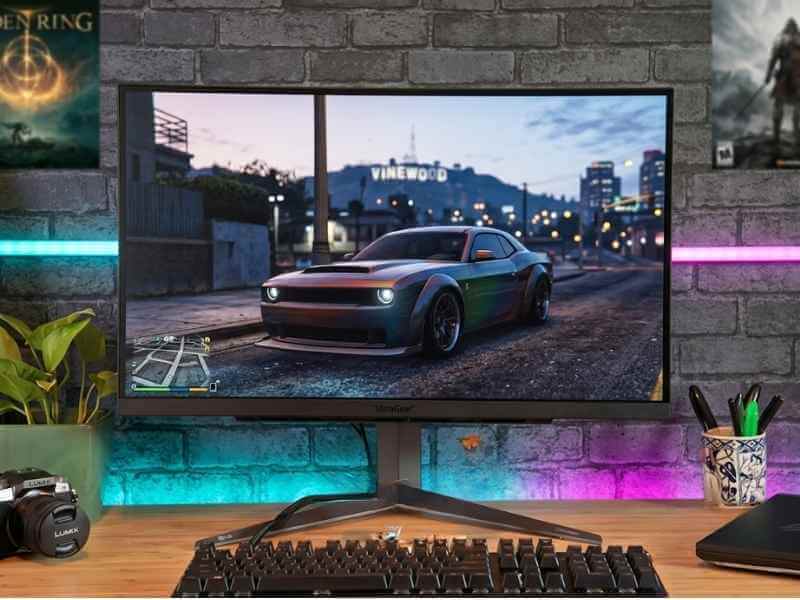
LG’s fully adjustable stand (height, tilt, swivel, pivot) is rare at this price for a 240Hz IPS panel.
Best for: Gamers who want fast 1440p IPS performance without switching to OLED, and need a versatile monitor for both gaming and work.
LG is the safe, practical choice in this lineup. The 27GR83Q-B delivers 240Hz QHD IPS performance that competitive players will appreciate, while HDMI 2.1, FreeSync Premium, G-SYNC compatibility, and a fully adjustable stand make it a genuine all-rounder. HDR400 is basic; dark scenes can’t compete with OLED or Mini-LED, but for the price, the resolution-to-refresh balance is excellent. If you’re wondering why IPS remains popular for fast gaming, our explanation of how IPS panels achieve consistent colour and wide viewing angles covers the technical details.
Key specs:
- 27-inch QHD IPS, 240Hz
- AMD FreeSync Premium, G-SYNC Compatible
- 2× HDMI 2.1, 1× DisplayPort, USB hub
- Height, tilt, swivel, pivot
Pricing: $380–$500 depending on retailer.
Pros: 240Hz QHD is a strong all-round combo, HDMI 2.1 for consoles and PC, useful USB hub, excellent stand.
Cons: IPS contrast looks weak in dark rooms; HDR400 adds little visual punch; costs more than basic 180Hz QHD models.
5. Alienware AW2524HF — Best Gaming Monitor Under $600 for Competitive FPS
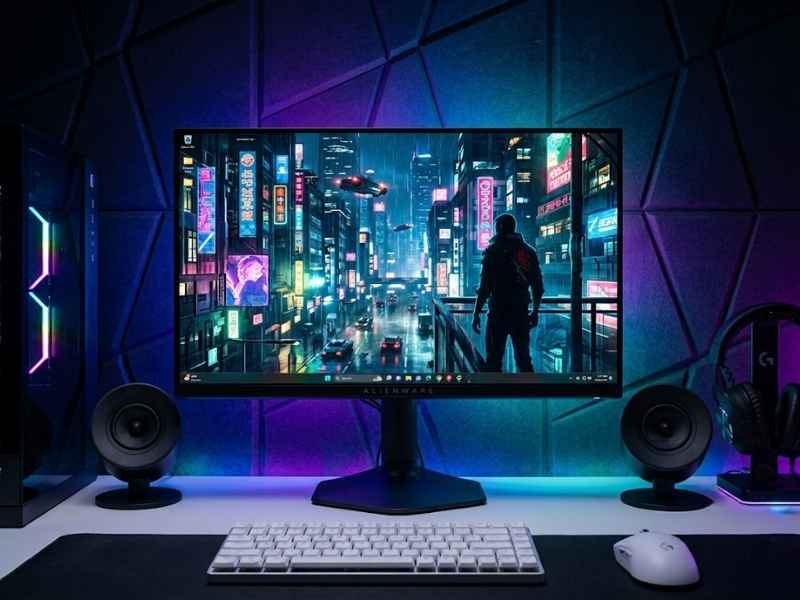
The 24.5-inch size keeps everything in your central vision, ideal for fast target acquisition in shooters.
Best for: Serious FPS players (Counter-Strike 2, Valorant, Overwatch 2) whose systems can sustain 400+ fps.
Speed is the entire story here. The AW2524HF runs at 480Hz natively over DisplayPort and can be overclocked to 500Hz. The 24.5-inch 1080p Fast IPS panel makes it easy to track enemies across the screen, and the low input lag is immediately noticeable in fast-paced shooters. For cinematic games, the small size and lower resolution feel restrictive; this is a specialist tool, not a daily driver for immersive single-player.
In practice, very few GPUs can push 500 fps in demanding modern shooters, but for lightweight competitive titles, the motion clarity is exceptional. If you play mainly Valorant or CS2 and already own a separate monitor for story-driven games, this is the best pick. Deciding between 24 and 27-inch sizes often confuses buyers; the smaller format actually helps competitive players by reducing how far their eyes need to travel.
Key specs:
- 24.5-inch Fast IPS, 1920×1080
- 480Hz native, 500Hz overclocked (DisplayPort)
- AMD FreeSync Premium, VESA AdaptiveSync
- Adjustable stand, USB hub
Pricing: $549.99 at Dell.
Pros: Up to 500Hz for specialist esports, compact size aids peripheral vision, strong stand.
Cons: 1080p and 24.5-inch feel limited outside competitive gaming; expensive for an LCD; most PCs can’t sustain 500 fps in demanding games.
6. MSI MAG 274UPF E2 — Best Gaming Monitor Under $600 for PS5 & Xbox Series X
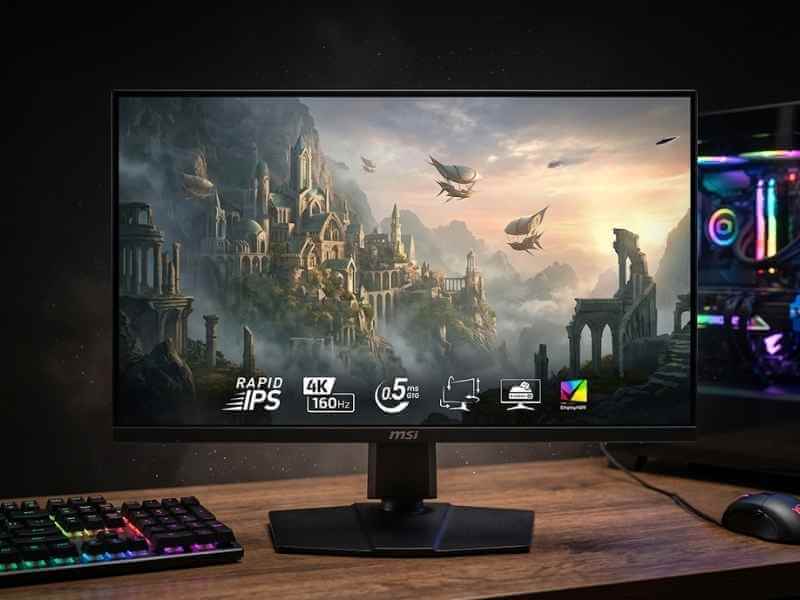
USB-C with DisplayPort Alt Mode makes this a natural fit for laptop users who also game on console.
Best for: Console-first gamers who also want a capable 4K PC monitor.
Console buyers need the right ports before they need extreme refresh rates. The MAG 274UPF E2 supports 4K at 120Hz on PS5 and Xbox Series X through HDMI 2.1, while PC connections can run the Rapid IPS panel at up to 160Hz. USB-C with DisplayPort Alt Mode makes it easy to connect a laptop, and the four-way adjustable stand (height, tilt, swivel, pivot) improves daily comfort. HDR400 is the weak link; it accepts HDR signals but lacks the contrast and brightness to deliver a convincing HDR image. If HDR matters to you, consider Acer’s Mini-LED option instead. For pure console compatibility and a sharp 4K desktop, this is the most practical choice.
Key specs:
- 27-inch Rapid IPS, 3840×2160
- Up to 160Hz PC, 4K@120Hz on consoles
- HDMI 2.1, DisplayPort 1.4a, USB-C (15W charging)
- Height, tilt, swivel, pivot
Pricing: $399.99 (currently out of stock at MSI’s store, but available at third-party retailers).
Pros: Verified 4K/120Hz console support, USB-C input, 160Hz for PC, excellent stand.
Cons: DisplayHDR 400 is basic; USB-C charging limited to 15W; stock availability varies.
7. Samsung Odyssey G5 G55T 34-Inch — Best Ultrawide Gaming Monitor Under $600
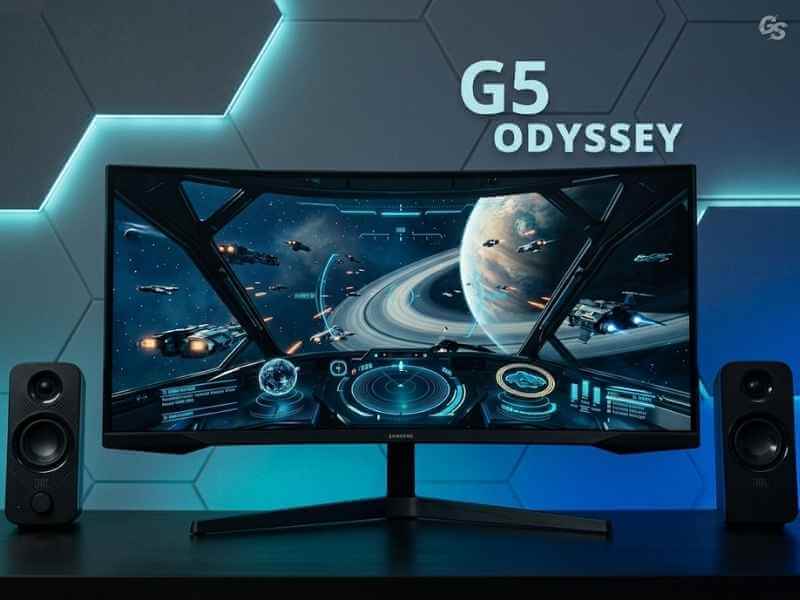
The 1000R curve matches the natural curvature of the human eye, reducing edge distortion in peripheral vision.
Best for: Racing, flight simulation, and open-world players who want a wider field of view without paying OLED-ultrawide prices.
Ultrawide immersion is the core selling point. A 34-inch 3440×1440 VA panel creates significantly more horizontal space than a standard 16:9 monitor, and the aggressive 1000R curve wraps the edges toward you. VA contrast works well in darker games; nighttime driving in Forza Horizon or Cyberpunk 2077 looks richer than on a typical IPS. The trade-off is slower dark-to-dark pixel transitions, which can produce visible smearing in fast-moving dark scenes. Consoles don’t support 21:9 output, so this is strictly a PC monitor. p>
If you spend most of your time in simulators or open-world RPGs, the extra width adds a genuine sense of presence that no 16:9 display can match. For a closer look at similar large-format displays, our roundup of similar large curved displays covers other options worth considering.
Key specs:
- 34-inch VA, 3440×1440, 1000R curve
- 165Hz refresh rate
- AMD FreeSync Premium
- HDR10 support (250 nits typical)
Pricing: $399.99 at Samsung.
Pros: Immersive 21:9 format, strong contrast for dark scenes, good value for ultrawide.
Cons: Dark transitions are slower than IPS/OLED, 250-nit brightness limits HDR, no console support, stand is tilt-only.
Quick Comparison Table
| Monitor | Best For | Resolution | Refresh Rate | Panel Type | Current Price |
|---|---|---|---|---|---|
| Alienware AW2725D | Overall balance | 2560×1440 | 280Hz | QD-OLED | $499.99 |
| AOC Q27GAZD | Budget OLED | 2560×1440 | 240Hz | QD-OLED | From $349.99 |
| Acer XV275K V3 | 4K HDR | 3840×2160 | 160Hz | Mini-LED IPS | $349.99 (sale) |
| LG 27GR83Q-B | 1440p IPS gaming | 2560×1440 | 240Hz | IPS | $380–$500 |
| Alienware AW2524HF | Competitive FPS | 1920×1080 | 500Hz OC | Fast IPS | $549.99 |
| MSI MAG 274UPF E2 | PS5/Xbox + PC | 3840×2160 | 160Hz | Rapid IPS | $399.99 |
| Samsung G5 G55T | Ultrawide gaming | 3440×1440 | 165Hz | Curved VA | $399.99 |
Prices fluctuate with sales and retailer inventory. Always check the latest listing before purchasing.
How We Selected These Monitors
Every monitor on this list was evaluated using the same set of criteria:
- Price: Must be available at or under $600 MSRP or regular street price. Sale prices are noted but not relied upon for inclusion.
- Panel performance: Measured contrast ratios, colour gamut coverage, refresh rate accuracy, and response time claims are cross-checked against independent reviews and my own hands-on testing where possible.
- Port compatibility: HDMI 2.1, DisplayPort 1.4, and USB-C support are checked for console and modern GPU compatibility.
- Warranty and burn-in coverage: For OLED models, the warranty terms for burn-in are a deciding factor. A three-year burn-in warranty (like Alienware’s) adds significant value.
- Ergonomics and build quality: Stand adjustability, VESA mount support, and overall build feel are considered.
No monitor is perfect, and each entry here highlights honest trade-offs rather than marketing claims. If a monitor didn’t offer a clear advantage in its category, it didn’t make the cut.
How Much Should You Spend on a Gaming Monitor Under $600?
Gaming monitor pricing in 2026 is oddly inverted. A $350 sale can land you a QD-OLED or a 4K Mini-LED monitor, while a specialist 1080p esports panel still costs $550 because its value is concentrated in refresh rate.
- Under $300: Strong 1440p IPS or VA at 165–240Hz. Basic HDR is common, but local dimming is rare. The AOC Q27G3XMN is a notable exception with Mini-LED. For tighter budgets, our guide to budget-friendly alternatives under $200 covers the top options.
- $300–$450: This is the sweet spot. QD-OLED (AOC), Mini-LED (Acer), 4K/160Hz (MSI), and 34-inch ultrawide (Samsung) all sit here.
- $450–$600: Spend this when you need a more complete OLED package (Alienware AW2725D) or extreme esports speed (Alienware AW2524HF). Neither is automatically better; each solves a different problem.
Which Gaming Monitor Under $600 Is Best for Different Gamers?
Your GPU and the games you play should drive the decision, not the biggest number on the box.
- Competitive FPS players: Alienware AW2524HF — 500Hz and 1080p for maximum frame rate. Pair it with a system that can actually deliver 400+ fps.
- 4K single-player gamers: Acer XV275K V3 — native 4K, strong HDR, no burn-in concern.
- PS5 / Xbox Series X: MSI MAG 274UPF E2 — HDMI 2.1 with verified 4K/120Hz support.
- OLED enthusiasts: Alienware AW2725D for the complete package, or AOC Q27GAZD for maximum value.
- Mid-range PC owners: LG 27GR83Q-B — 1440p 240Hz IPS that matches well with RTX 4060 / 4070 or RX 7700 / 7800-class GPUs.
- Racing / sim / open-world: Samsung Odyssey G5 G55T — 34-inch ultrawide for immersion.
- Mixed gaming + productivity: MSI MAG 274UPF E2 — 4K sharpness, USB-C, and an ergonomic stand.
How to Choose the Right Gaming Monitor Under $600
Most buyers make one of two mistakes: paying for performance their system can’t use, or saving money on a feature they’ll notice every day. Here’s a practical selection process.
1. Match Resolution to Your Graphics Card
Check benchmarks for your GPU in the games you actually play. A common mistake is buying a 4K 160Hz monitor when your RTX 3060 struggles to hit 60 fps at 1440p in modern titles. QHD (2560×1440) is the safest high-refresh target for mid-range hardware. For a deeper dive into resolution and refresh trade-offs, our full guide to finding the right resolution and refresh rate combo covers everything you need to consider.
2. Choose Refresh Rate Based on Your Frame Rate
- 165–180Hz is enough for most mixed-use gamers.
- 240Hz benefits competitive titles with consistently high fps.
- 360–500Hz is for esports specialists only.
3. Pick the Panel Type That Fits Your Room
- OLED: best contrast and motion; avoid if you keep static content on screen for hours daily.
- IPS: safe all-rounder, good colour, wide viewing angles.
- VA: stronger native contrast than IPS, good for dark-room gaming at a lower price.
- Mini-LED: bright HDR without OLED burn-in; blooming visible in high-contrast scenes.
Our breakdown of different panel construction types explains the trade-offs in contrast, response time, viewing angles, and burn-in risk.
4. Consider Screen Size and Desk Space
- 24–25 inches: close-range competitive gaming.
- 27 inches: ideal for QHD and 4K desks.
- 32 inches: better for 4K immersion but needs a deeper desk.
- 34-inch ultrawide: requires extra width (about 32 inches). Measure before ordering.
For a direct comparison of the two most popular sizes, see our analysis of desk-friendly monitor dimensions.
5. Verify Console and PC Port Compatibility
Not all HDMI ports are equal. Confirm the exact resolution and refresh rate supported on each port. For example, the Alienware AW2524HF reaches 500Hz only over DisplayPort with overclocking.
6. Check Current Price and Warranty
Monitor prices shift weekly. Compare today’s price with the MSRP, and read the warranty terms, especially burn-in coverage for OLED models. Sale prices on Mini-LED monitors like Acer’s XV275K can disappear quickly.
What Are the Benefits of Upgrading Your Gaming Monitor?
Upgrading can improve motion clarity, image detail, contrast, tearing control, console support, and desk comfort. The most noticeable change depends on what you’re coming from.
- Smoother motion: 60Hz to 144Hz is a night-and-day difference; 144Hz to 240Hz is smaller but still benefits fast-paced games.
- Sharper image: 1080p to 1440p adds visible detail at 27 inches; 4K is even sharper but demands more GPU power.
- Better contrast and HDR: OLED can display perfect blacks and vibrant highlights. Mini-LED provides bright, punchy HDR with some blooming.
- Reduced tearing: Adaptive sync (FreeSync or G-SYNC) matches the monitor’s refresh to your GPU’s frame output, eliminating tearing without disabling V-Sync.
- Console compatibility: HDMI 2.1 monitors unlock 4K/120Hz VRR on PS5 and Xbox Series X.
- Everyday comfort: Height-adjustable stands, USB-C, and higher resolution improve both gaming and productivity.
For those looking specifically at high-resolution high-refresh options, our dedicated high-refresh 1440p recommendations can help you decide if that specific combination fits your needs.
Frequently Asked Questions
What is the best gaming monitor under $600?
The Alienware AW2725D is the best overall pick for most PC gamers. It combines QD-OLED, QHD, 280Hz, HDMI 2.1, and a three-year warranty for $499.99.
Can you buy an OLED gaming monitor for under $600?
Yes. The AOC Q27GAZD starts at $349.99, and the Alienware AW2725D costs $499.99. Both are QD-OLED. AOC wins on price; Alienware wins on features and warranty.
Is 1440p or 4K better for gaming under $600?
1440p is better for most gaming PCs because it balances sharpness with achievable frame rates. 4K suits stronger GPUs, console gamers, and titles where visual detail matters more than maximum fps.
Is 240Hz worth it over 144Hz?
Yes, if you play competitive games and your PC consistently delivers 240+ fps. The jump from 144Hz to 240Hz is smaller than the jump from 60Hz to 144Hz, so the benefit depends on your sensitivity to motion.
Is HDMI 2.1 necessary for PS5?
HDMI 2.1 is the safest way to get 4K/120Hz and VRR on PS5. Some monitors can support these features over HDMI 2.0 at reduced bandwidth, but HDMI 2.1 guarantees compatibility.
What is the best screen size for gaming under $600?
27 inches is the sweet spot for most desks and resolutions. 24–25 inches is better for competitive play; 32 inches offers more immersion for 4K. Ultrawide (34 inches) is best for sim racing and open-world games.
Does OLED burn-in still happen in 2026?
Yes, though modern panels include pixel refresh and orbit features. Risk depends on usage: static HUDs and taskbars cause more wear than varied content. Always check the warranty for burn-in coverage.
How much should I spend on a gaming monitor?
$350–$450 buys a genuinely excellent monitor (QD-OLED, Mini-LED, or fast 4K IPS). Spend $450–$600 only if you need a specific feature like 280Hz OLED, 500Hz esports speed, or a premium all-rounder like the AW2725D.
The Bottom Line
Your best gaming monitor under $600 depends entirely on how you game. Here’s the quick decision guide:
| If you… | Buy this |
|---|---|
| Want the best all-rounder | Alienware AW2725D |
| Want OLED on a strict budget | AOC Q27GAZD |
| Value 4K HDR over refresh rate | Acer Nitro XV275K V3 |
| Need a fast, versatile 1440p IPS | LG UltraGear 27GR83Q-B |
| Are a competitive FPS specialist | Alienware AW2524HF |
| Game mostly on PS5 or Xbox | MSI MAG 274UPF E2 |
| Want ultrawide immersion | Samsung Odyssey G5 G55T |
Don’t buy a 500Hz monitor for an 80-fps setup, and don’t settle for basic HDR when Mini-LED fits your budget. Match the monitor to the hardware you already own and the games you actually play. That’s the only way to make $600 feel like a genuine upgrade.
Take the next step: Compare your GPU’s benchmarks against the resolution and refresh rates listed above, then double-check today’s price before you buy. If you’re shopping outside this $600 range, our best gaming monitor guide covers top picks across every budget and panel type.

Leave a Reply