
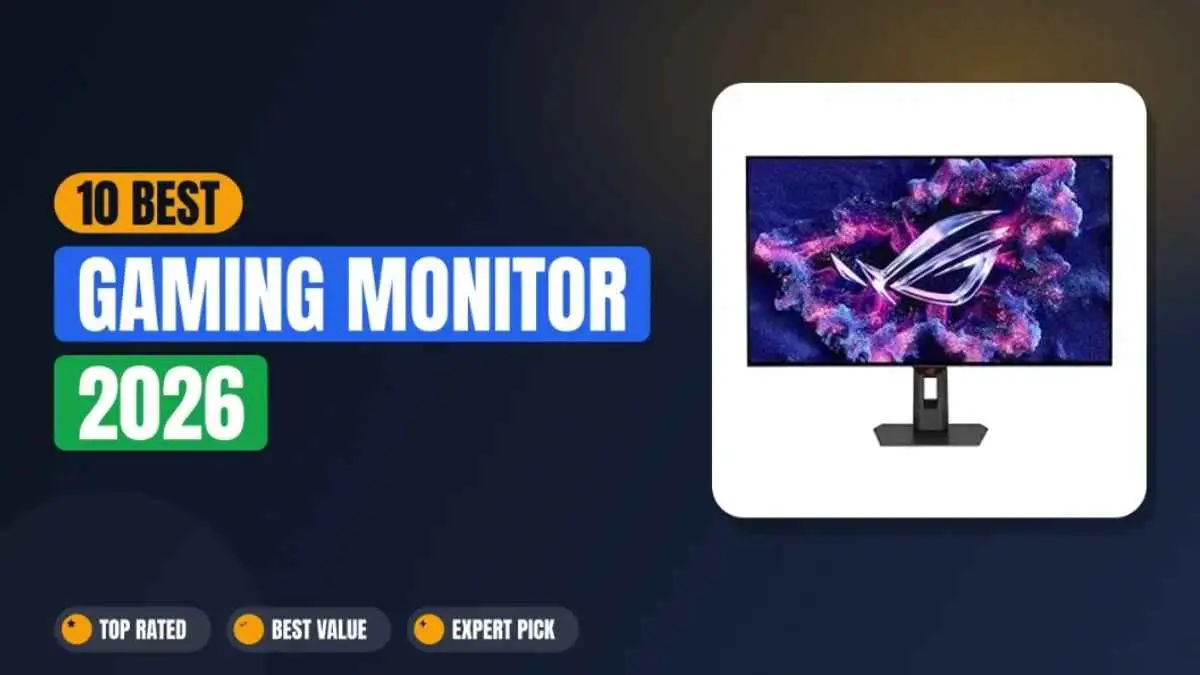

Finding the best gaming monitor in 2026 is not just about choosing the highest refresh rate or the largest display. With advancements in OLED panels, 4K resolution, ultra-fast response times, and adaptive sync technology, the right monitor can significantly improve your gaming experience. Whether you are a competitive esports player, a console gamer, or a casual user, this guide compares the top gaming monitors based on performance, features, value, and real-world usability to help you choose the perfect display for your setup..
What Is the Best Gaming Monitor in 2026?
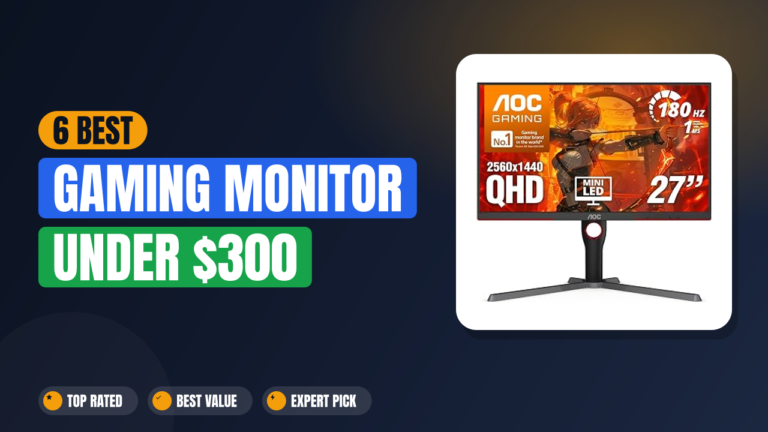
The ASUS ROG Swift PG32UCDM is the best gaming monitor overall in 2026, offering the strongest balance of 4K resolution, 240Hz speed, and reliable connectivity. For competitive esports, the ASUS ROG Swift PG27AQWP-W’s 540Hz refresh rate is the fastest available. On a budget, the AOC Q27G3XMN delivers HDR1000 brightness for under $300.
There isn’t one single best gaming monitor for everyone, it depends on your budget and what you play. The picks above cover the three most common priorities: overall balance, raw speed, and value.
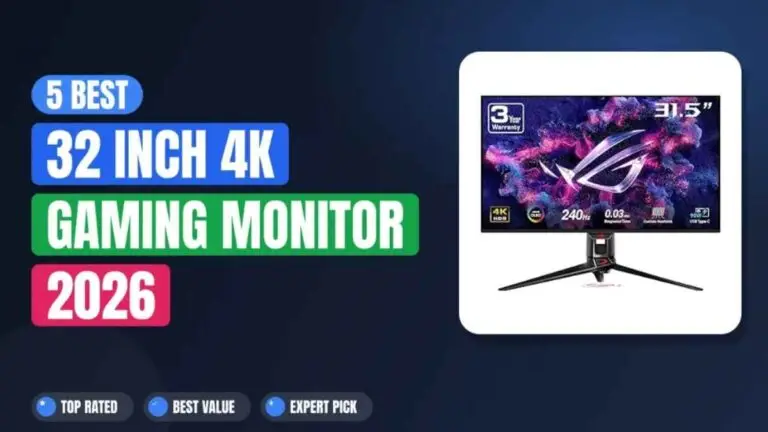
1. ASUS ROG Swift OLED PG32UCDM — Best Overall 4K OLED
The ASUS ROG Swift PG32UCDM is a flat QD-OLED monitor that shares the same Samsung Display panel as the Alienware AW3225QF and MSI MPG 322URX. It runs at 3840 x 2160 and 240Hz with a 0.03ms response time. What ASUS does differently is add a custom heatsink and graphene film for extra longevity, along with true 10-bit color and a 90W USB-C port that actually charges a laptop, making it the most complete feature set of the three.
Why This Monitor Earns the Top Spot
This is the monitor that put ASUS on top of the OLED gaming market. It has a strong reputation for reliability, and the custom heatsink plus graphene film help prevent burn-in, a common concern for OLED newcomers.
Key specs
| Panel | 32-inch 4K UHD (3840×2160) QD-OLED |
| Refresh / Response | 240Hz, 0.03ms GtG |
| Sync | G-Sync Compatible, AMD FreeSync Premium Pro |
| Color / HDR | 99% DCI-P3, True 10-bit, DisplayHDR True Black 400 |
| Connectivity | 90W USB-C, HDMI 2.1, DisplayPort 2.1 |
| Price | around~$1,000 |
Hands-On Impressions
Color accuracy out of the box needs almost no correction, and I didn’t run into any uniformity issues across the panel. The 90W USB-C port easily charges most gaming laptops during use. The stand footprint is on the larger side, so measure your desk before you buy.
VALUE METER
✓ PROS
- Proven, widely trusted 32-inch 4K OLED
- Custom heatsink and graphene film reduce burn-in risk
- True 10-bit color for professional-grade accuracy
- 90W USB-C PD for laptop charging, the strongest in its size class
✗ CONS
- Large stand footprint eats up desk space
- No Dolby Vision, unlike the Alienware AW3225QF
PERFECT IF…
✔ You want a proven, top-rated 32-inch 4K OLED
✔ Burn-in anxiety is holding you back from OLED
✔ You need a single USB-C cable that actually charges your laptop
SKIP IF…
✖ You want Dolby Vision certification for movies
✖ You need a smaller stand for a cramped desk
💡 OUR INSIGHT
The PG32UCDM wins this comparison on completeness, not on being fundamentally different. It uses the same panel as the AW3225QF and MPG 322URX, but bundles the best connectivity and anti-burn-in tech of the three. If you don’t specifically need Dolby Vision, this is the safest pick.
2. Alienware AW3225QF — Best Curved 4K OLED / Dolby Vision
The Alienware AW3225QF is a curved QD-OLED monitor that shares the same Samsung Display panel as the ASUS and MSI. It runs at 3840 x 2160 and 240Hz with a 0.03ms response time. What Alienware does differently is pay for Dolby Vision certification and add a gentle 1700R curve, dropping USB-C power delivery to keep the focus on HDR movie quality and immersion instead of connectivity.
Why It Made the List
If you’re building a white-themed PC setup, this Alienware matches perfectly. It offers the same 4K QD-OLED experience as the competition but with Dolby Vision and Dell’s legendary customer support. Factory calibration is generally excellent.
Key specs
| Panel | 32-inch 4K UHD (3840×2160) QD-OLED, 1700R curve |
| Refresh / Response | 240Hz, 0.03ms GtG |
| Sync | AMD FreeSync Premium Pro |
| HDR | Dolby Vision certified, VESA DisplayHDR True Black 400 |
| Connectivity | 1x DisplayPort 1.4, 2x HDMI 2.1, 3x USB-A, USB-C (data only) |
| Price | around~$900–$1,200 |
Hands-On Impressions
Color accuracy out of the box is excellent, and the 1700R curve adds subtle depth without distorting desktop work. Dolby Vision makes HDR movies noticeably richer than standard HDR10 on the other monitors here. The catch is the USB-C port handles data only, so laptop charging needs a separate cable.
VALUE METER
✓ PROS
- Dolby Vision certification delivers richer HDR for movies and games
- Excellent factory color calibration
- Dell/Alienware warranty and support reputation
- 1700R curve adds immersion without distorting desktop work too much
✗ CONS
- USB-C port does not support video or power delivery, only data
- Text clarity is slightly softer than flat QD-OLED panels due to the curve
PERFECT IF…
✔ You watch a lot of Dolby Vision HDR movies on your PC
✔ You’re building an all-white or minimalist setup
✔ You prefer a slight curve for immersion
SKIP IF…
✖ You need USB-C with power delivery for a laptop setup
✖ You do precise photo editing where a flat panel is preferred
💡 OUR INSIGHT
Same panel as the PG32UCDM, different trade-off. The AW3225QF spends its budget on Dolby Vision and curve instead of USB-C power delivery. Choose it if HDR movie quality matters more to you than single-cable laptop charging.
3. MSI MPG 322URX QD-OLED — Best DP 2.1 4K OLED
The MSI MPG 322URX is a flat QD-OLED monitor that shares the same Samsung Display panel as the ASUS and Alienware. It runs at 3840 x 2160 and 240Hz with a 0.03ms response time. What MSI does differently is ship it first with DisplayPort 2.1a for full uncompressed 4K 240Hz bandwidth, plus a built-in KVM switch and 98W USB-C, keeping the core gaming experience while adding the most future-proofed port selection of the three.
Why It Stands Out
If DisplayPort 2.1a matters to you for next-gen GPUs, this is currently the most future-proofed connection on a 32-inch OLED. The integrated KVM switch and 98W USB-C charging make it a strong multi-device hub, not just a display.
Key specs
| Panel | 32-inch (31.5″ viewable) 4K UHD (3840×2160) QD-OLED |
| Refresh / Response | 240Hz, 0.03ms GtG |
| Connectivity | DisplayPort 2.1a, 2x HDMI 2.1, USB-C 98W PD |
| Color / HDR | 99% DCI-P3, DisplayHDR True Black 400 |
| Extras | OLED Care 2.0 anti-burn-in, KVM switch, 4-way adjustable stand |
| Price | around~$999–$1,300 |
Hands-On Impressions
Color accuracy out of the box is rich enough for creative work with no calibration needed. DisplayPort 2.1a keeps 4K 240Hz clean and uncompressed even on newer GPUs. The 98W USB-C charging means you can run a laptop from the monitor alone, no separate charger required.
VALUE METER
✓ PROS
- DisplayPort 2.1a delivers full 4K 240Hz bandwidth without compression
- 98W USB-C power delivery for laptops
- Built-in KVM switch simplifies multi-device setups
- Excellent color gamut (99% DCI-P3)
✗ CONS
- No Dolby Vision, unlike the Alienware AW3225QF
- Pricing sits above the ASUS at full retail depending on sales
PERFECT IF…
✔ You want the most future-proofed port selection on a 32-inch OLED
✔ You need a KVM switch and real USB-C laptop charging together
✔ You’re building around a next-gen GPU with DP 2.1a output
SKIP IF…
✖ You want Dolby Vision for movie watching
✖ You’re chasing the lowest price on this shared panel
💡 OUR INSIGHT
Three monitors, one panel, three different priorities. The MSI wins on raw connectivity, DP 2.1a plus a real KVM switch, but it doesn’t undercut the ASUS on price the way you’d expect. Pick this one specifically for the port selection, not to save money.
4. Alienware AW2725Q — Best 27″ 4K OLED for PC & Console
The Alienware AW2725Q is a 27-inch 4K QD-OLED monitor that shares the same Samsung Display panel as the ASUS ROG Swift PG27UCDM and MSI MPG 272URX. It runs at 3840 x 2160 and 240Hz with a 0.03ms response time. What Alienware does differently is add Dolby Vision and drop USB-C entirely, keeping the cost lower while maintaining the core 4K OLED experience at around $830 to $900.
What Sets It Apart
The AW2725Q is a fantastic high-density 4K OLED that doesn’t break the bank the way most 4K panels do. Dolby Vision at this price is genuinely rare, and the highest pixel density of any Alienware monitor makes text and UI elements razor sharp.
Key specs
| Panel | 26.7-inch 4K UHD (3840×2160) QD-OLED, 166 PPI |
| Refresh / Response | 240Hz, 0.03ms GtG |
| Sync | G-Sync Compatible, AMD FreeSync Premium Pro |
| HDR | Dolby Vision certified, VESA DisplayHDR True Black 400 |
| Connectivity | HDMI 2.1, DisplayPort 1.4, USB-A (no USB-C, no speakers) |
| Price | around~$700–$900 |
Hands-On Impressions
Text and UI elements look noticeably sharper here than on any QHD panel on this list; the pixel density really shows. Dolby Vision makes a real difference in HDR movies at this price point. No USB-C and no built-in speakers keep costs down, so budget for your own audio and laptop charging separately.
VALUE METER
✓ PROS
- Same 4K QD-OLED panel as pricier 27-inch competitors
- Dolby Vision certification is rare at this price
- Highest pixel density of any Alienware monitor
- More affordable than the ASUS PG27UCDM or MSI 272URX
✗ CONS
- No USB-C port at all
- No built-in speakers
PERFECT IF…
✔ You want 4K OLED sharpness for PS5 or Xbox Series X as well as PC
✔ You want Dolby Vision without paying flagship prices
✔ You already have your own speakers and laptop charger
SKIP IF…
✖ You need USB-C for laptop docking
✖ You want built-in audio
💡 OUR INSIGHT
Same panel as monitors costing hundreds more, minus USB-C and speakers. If those two ports aren’t dealbreakers for you, the AW2725Q is the smartest way to get 4K QD-OLED and Dolby Vision without flagship pricing.
5. LG UltraGear 45GX950A-B — Best Ultrawide / Alternative Size
The LG 45GX950A-B is a curved OLED monitor that runs on its own 45-inch panel; nothing else on this list matches its size or 5120 x 2160 resolution. It runs at 165Hz natively with a 0.03ms response time. What LG does differently is add a Dual Mode that drops to 2560 x 1080 for up to 330Hz, giving you both productivity space and competitive speed in one screen instead of forcing a choice.
Why It’s Worth Considering
For immersive racing and flight sims, nothing beats this beast. The massive 45-inch 21:9 aspect ratio wraps around your field of view. The 5K2K resolution provides crisp text and incredible detail, and Dual Mode means you’re not locked into 165Hz if a competitive title calls for more speed.
Key specs
| Panel | 45-inch WUHD (5120×2160) curved OLED |
| Dual Mode | 5K2K 165Hz / WFHD (2560×1080) up to 330Hz |
| Response time | 0.03ms GtG |
| Sync | NVIDIA G-Sync Compatible, AMD FreeSync Premium Pro |
| Connectivity | USB Type-C 90W PD, DisplayPort 2.1, 2x HDMI 2.1 |
| Price | around~$1,499 |
Hands-On Impressions
The extra horizontal space is genuinely useful for timelines and multitasking. At 165Hz, gaming feels immersive rather than fast, though Dual Mode adds up to 330Hz if a competitive title calls for more speed. The curve is pronounced but comfortable for most desk setups.
VALUE METER
✓ PROS
- Immersive 45-inch 21:9 curved screen
- High 5K2K resolution for sharp text
- Dual Mode adds up to 330Hz when you need it
- USB-C 90W PD and DP 2.1 included
✗ CONS
- Native mode caps at 165Hz, not 240Hz
- Massive desk space required
- Highest price on this list
PERFECT IF…
✔ You want the ultimate ultrawide for sim racing or flight games
✔ You do video editing and need extra horizontal timeline space
✔ You have a large desk and deep pockets
SKIP IF…
✖ You prioritize refresh rate above resolution for competitive FPS
✖ Your desk can’t fit a 45-inch behemoth
💡 OUR INSIGHT
This isn’t really competing with the 32-inch OLEDs above; it’s a different category. If desk space and budget allow, you get 4K-class sharpness, ultrawide immersion, and a 330Hz fallback mode in one panel.
6. ASUS ROG Swift OLED PG27AQWP-W — Fastest / Esports Flagship
The ASUS ROG Swift PG27AQWP-W is a flat OLED monitor that uses a 4th-generation Tandem WOLED panel, different from the QD-OLED panels found elsewhere on this list. It runs at 2560 x 1440 and a native 540Hz with a 0.02ms response time. What ASUS does differently is push refresh rate further than anyone else, up to 720Hz in Dual Mode, while trading QD-OLED’s wider color gamut for meaningfully higher brightness.
Why It Landed on This List
If frame rate is the only number that matters to you, this is currently the ceiling. The Tandem OLED design also solves one of WOLED’s long-standing weaknesses, brightness, delivering noticeably punchier HDR highlights than older single-layer WOLED panels.
Key specs
| Panel | 27-inch (26.5″ viewable) QHD (2560×1440) Tandem WOLED |
| Dual Mode | QHD 540Hz / HD 720Hz |
| Response time | 0.02ms GtG |
| Connectivity | G-Sync Compatible, AMD FreeSync Premium, DisplayPort 2.1, HDMI 2.1 |
| HDR | VESA DisplayHDR 500 True Black |
| Price | around~$1,100 |
Hands-On Impressions
At 540Hz, fast motion in competitive shooters looks close to perfect, with small details like health bar ticks staying readable while strafing. The Tandem OLED panel hits noticeably brighter HDR highlights than older WOLED screens. This is flagship pricing for a flagship feature set, not a budget pick.
VALUE METER
✓ PROS
- Fastest native OLED refresh rate on the market (540Hz, up to 720Hz Dual Mode)
- Tandem OLED panel is noticeably brighter than standard WOLED
- 0.02ms response time, among the fastest available
- DisplayPort 2.1 for full bandwidth without compression
✗ CONS
- QHD only, not 4K, so less sharp for productivity work
- Flagship pricing puts it out of reach for most buyers
- The jump from 500Hz to 540Hz is barely perceptible in practice
PERFECT IF…
✔ You are a competitive player chasing the highest refresh rate available
✔ You want the brightest OLED HDR experience currently on the market
✔ Budget is not the deciding factor
SKIP IF…
✖ You want 4K resolution for sharper text and detail
✖ You already own a 360Hz or 500Hz OLED; the upgrade is marginal
💡 OUR INSIGHT
The fastest OLED you can buy, full stop. Speed this extreme has diminishing returns past 480Hz for all but the most competitive players, but if refresh rate is the metric you optimize for, nothing else here comes close.
7. LG UltraGear 27GR95QE-B — Best Budget OLED
The LG 27GR95QE-B is a flat OLED monitor built on an earlier panel generation than the 4K and Tandem OLEDs above. It runs at 2560 x 1440 and 240Hz with a 0.03ms response time. What LG does differently is skip the newer connectivity extras like USB-C and a KVM switch, keeping the price well below the flagship panels while still delivering the same core OLED contrast and response time.
What Makes It Different
If you want OLED contrast and near-instant response without paying flagship 4K prices, this is the entry point. It doesn’t have the port selection of the newer monitors on this list, but the core panel experiences deep blacks, zero ghosting, and holds up well.
Key specs
| Panel | 27-inch (26.5″ viewable) QHD (2560×1440) OLED |
| Refresh / Response | 240Hz, 0.03ms GtG |
| Sync | NVIDIA G-Sync Compatible, AMD FreeSync Premium |
| Color / HDR | 98.5% DCI-P3, up to 1,000 nits HDR10 |
| Connectivity | HDMI, DisplayPort, USB-A 3.2 hub |
| Price | around~$650–$950 depending on sales |
Hands-On Impressions
No ghosting shows up even in fast-paced shooters; the OLED response time holds up against much newer panels. Brightness is the one area where it shows its age; HDR highlights don’t punch as hard as on the Tandem OLED or QD-OLED panels above. Still, for the panel quality, this remains a legitimate entry point into OLED.
VALUE METER
✓ PROS
- Genuine OLED contrast and 0.03ms response time
- 240Hz refresh rate on a 1440p panel
- More affordable than every 4K OLED on this list
- Burn-in warranty coverage included
✗ CONS
- Lower peak brightness than newer Tandem OLED and QD-OLED panels
- No USB-C, no KVM switch
PERFECT IF…
✔ You want real OLED image quality without 4K pricing
✔ You mostly game in a dark or dim room
✔ You don’t need USB-C or a KVM switch
SKIP IF…
✖ You need the brightest possible HDR highlights
✖ You want the newest panel generation with full port selection
💡 OUR INSIGHT
This is the value entry into real OLED, not into the newest OLED. The panel itself still competes on contrast and response time; you’re mainly giving up brightness headroom and modern connectivity to get there.
8. AOC Q27G3XMN — Best Value Under $300
The AOC Q27G3XMN is a flat VA Mini-LED monitor, not OLED like the rest of this list. It runs at 2560 x 1440 and 180Hz with a 1ms response time. What AOC does differently is swap panel technology entirely, using 336-zone local dimming to chase OLED-like contrast, keeping the price under $300 while adding zero burn-in risk as a bonus.
Why It’s Here
Mini-LED with DisplayHDR 1000 delivers impressive brightness and local dimming that gets surprisingly close to OLED in dark scenes. The 180Hz refresh and 1ms response are more than enough for most games, and it’s priced well below anything else on this list.
Key specs
| Panel | 27-inch QHD (2560×1440) VA Mini-LED, 336-zone local dimming |
| Refresh / Response | 180Hz, 1ms GtG |
| HDR | VESA DisplayHDR 1000 |
| Connectivity | DP 1.4, HDMI 2.1, USB 3.2, Audio Out |
| Price | around~$260–$300 |
Hands-On Impressions
Peak brightness is genuinely impressive for the price, and HDR highlights punch above what you’d expect under $300. There’s zero burn-in risk unlike every OLED on this list. Some blooming shows around bright objects on dark backgrounds, but it’s far less than standard IPS.
VALUE METER
✓ PROS
- Excellent HDR1000 brightness with Mini-LED
- Much more affordable than any OLED on this list
- No burn-in risk, long lifespan
- Solid 180Hz refresh for smooth gaming
✗ CONS
- Mini-LED blooming visible in high-contrast dark scenes
- 180Hz is not as fast as the 240Hz+ OLEDs on this list
PERFECT IF…
✔ You want great HDR brightness without paying for OLED
✔ You are worried about OLED burn-in
✔ You want the best value pick on this list
SKIP IF…
✖ You need the absolute fastest refresh rate for esports
✖ You are sensitive to blooming in dark games
💡 OUR INSIGHT
Different technology, similar goal. The AOC doesn’t try to compete with OLED contrast directly; it uses brightness and zone dimming to get close enough for most people, at under a quarter of the price of the OLEDs above.
9. LG UltraGear 24GS65F-B — Best Under $200
The LG 24GS65F-B is a flat Fast IPS monitor, not OLED or Mini-LED like the picks above. It runs at 1920 x 1080 and 180Hz with a 1ms response time. What LG does differently is drop resolution and panel type entirely to hit a price under $200, while still keeping a genuinely competitive refresh rate and a full tilt, height, and pivot stand.
Why It Earned a Spot
This is the pick for anyone who wants a real upgrade over a stock 60Hz or 75Hz monitor without spending OLED or Mini-LED money. 180Hz plus a 1ms response time is plenty for most competitive games at this resolution.
Key specs
| Panel | 23.8-inch Full HD (1920×1080) Fast IPS |
| Refresh / Response | 180Hz, 1ms GtG |
| Sync | NVIDIA G-Sync Compatible, AMD FreeSync |
| Color / HDR | sRGB 99% (Typ.), HDR10 |
| Ergonomics | Tilt, height, pivot adjustable |
| Price | around~$150–$200 |
Hands-On Impressions
180Hz feels genuinely smooth for the price, a clear step up from typical budget 75Hz panels. Colors are solid for casual use and light creative work, though nowhere near OLED-level contrast. The pivot and height-adjustable stand is a nice touch rarely seen this cheap.
VALUE METER
✓ PROS
- 180Hz refresh rate well below $200
- Fast IPS panel with solid color for the price
- Full ergonomic stand (tilt, height, pivot)
- G-Sync Compatible and FreeSync support
✗ CONS
- 1080p resolution limits sharpness on a 24-inch panel
- No HDR performance comparable to OLED or Mini-LED picks
PERFECT IF…
✔ You want a genuine refresh rate upgrade on a tight budget
✔ You play mostly competitive titles where resolution matters less than speed
✔ You want an adjustable stand without paying more for it
SKIP IF…
✖ You want higher resolution or HDR contrast
✖ You’re upgrading from a monitor already at 1440p or above
💡 OUR INSIGHT
For under $200, this is a legitimate 180Hz upgrade with a proper stand, not a stripped-down afterthought. It won’t compete with anything else on this list for image quality, but that’s not the job it’s doing.
10. Dell SE2426HGS — Best Ultra-Budget Pick
The Dell SE2426HGS is a flat IPS monitor that shares nearly the same size and price as the LG 24GS65F-B above. It runs at 1920 x 1080 and 240Hz, the highest refresh rate of any panel on this list. What Dell does differently is push refresh rate over ergonomics, skipping the LG’s pivot stand to keep the price at the bottom of this list while still hitting 240Hz.
Why It’s the Value Pick
This is the fastest refresh rate on this entire list per dollar spent. At this price, you’re not getting OLED contrast or 4K sharpness, but 240Hz on a budget IPS panel is a real, usable upgrade for competitive games.
Key specs
| Panel | 23.8-inch Full HD (1920×1080) IPS |
| Refresh / Response | 240Hz |
| Sync | AMD FreeSync Premium |
| Connectivity | 2x HDMI, DisplayPort 1.4 |
| Certification | TUV Rheinland 3-star eye comfort |
| Price | around~$130–$180 |
Hands-On Impressions
240Hz on a budget panel like this is a genuine surprise; fast-paced games feel noticeably smoother than on the 180Hz LG. Color and contrast are basic IPS quality, fine for gaming, unremarkable for anything color-critical. This is a monitor built around one number, refresh rate, and it delivers on that number.
VALUE METER
✓ PROS
- 240Hz refresh rate at an entry-level price
- AMD FreeSync Premium keeps motion tear-free
- TUV-certified eye comfort features
- Among the cheapest monitors on this list
✗ CONS
- 1080p resolution and basic IPS color performance
- No HDR worth mentioning
PERFECT IF…
✔ You want the highest refresh rate possible on a tight budget
✔ You play fast-paced competitive shooters more than anything else
✔ This is a secondary or backup monitor, not your main display
SKIP IF…
✖ You want better color accuracy or higher resolution
✖ You care about HDR or cinematic image quality
💡 OUR INSIGHT
Compared directly against the LG 24GS65F-B, the Dell trades a bit of ergonomic flexibility for a genuinely higher refresh rate at a similar price. If 240Hz specifically is the number you’re chasing on a budget, this is the pick.
Quick Comparison
| Monitor | Best For | Panel / Res | Refresh | Price |
|---|---|---|---|---|
| ASUS ROG Swift PG32UCDM | Best Overall 4K OLED | 32″ 4K QD-OLED | 240Hz | around~$1,000 |
| Alienware AW3225QF | Best Curved / Dolby Vision | 32″ 4K QD-OLED | 240Hz | around~$900–$1,200 |
| MSI MPG 322URX | Best DP 2.1 4K OLED | 32″ 4K QD-OLED | 240Hz | around~$999–$1,300 |
| Alienware AW2725Q | Best 27″ 4K for PC & Console | 27″ 4K QD-OLED | 240Hz | around~$700–$900 |
| LG UltraGear 45GX950A-B | Best Ultrawide | 45″ 5K2K OLED | 165Hz / 330Hz | around~$1,499 |
| ASUS ROG Swift PG27AQWP-W | Fastest / Esports Flagship | 27″ 1440p Tandem OLED | 540Hz / 720Hz | around~$1,100 |
| LG UltraGear 27GR95QE-B | Best Budget OLED | 27″ 1440p OLED | 240Hz | around~$650–$950 |
| AOC Q27G3XMN | Best Value Under $300 | 27″ 1440p Mini-LED | 180Hz | around~$260–$300 |
| LG UltraGear 24GS65F-B | Best Under $200 | 24″ 1080p IPS | 180Hz | around~$150–$200 |
| Dell SE2426HGS | Best Ultra-Budget Pick | 24″ 1080p IPS | 240Hz | around~$130–$180 |
Note: Prices reflect typical retail pricing as of mid-2026 and change frequently with sales. Check current pricing before purchasing.
Buying Guide: What Actually Matters for a Gaming Monitor
What resolution and refresh rate should you choose?
The classic trade-off. 4K (3840×2160) offers sharper images and more screen real estate, but demands a powerful GPU to maintain high frame rates. QHD (2560×1440) is the sweet spot for performance per dollar, and 1080p still gets you the highest refresh rates per dollar if speed matters more than sharpness.
If you play fast competitive shooters, a high refresh rate matters more than resolution; that’s why the PG27AQWP-W and Dell SE2426HGS on this list trade resolution for speed. For immersive single-player games and productivity, 4K or the LG 45GX950A’s 5K2K panel puts the extra pixels to better use.
OLED vs Mini-LED vs IPS: which panel is right for you?
OLED delivers perfect blacks, infinite contrast, and instant response times. It’s the best for dark-room gaming. But it has lower peak brightness in SDR than Mini-LED and a real, if often overstated, burn-in risk with static content over years of heavy use.
Mini-LED, like the AOC Q27G3XMN on this list, uses thousands of tiny LEDs with local dimming to get brightness and contrast that gets close to OLED without the burn-in risk. IPS panels, like the LG 24GS65F-B and Dell SE2426HGS, are the most affordable option and are completely immune to burn-in, but contrast and black levels can’t compete with OLED or Mini-LED.
For most gamers, OLED is the top choice if budget allows, Mini-LED is the strong middle ground, and IPS remains the safest budget pick.
How important is connectivity?
HDMI 2.1 is essential for 4K at 120Hz or higher on consoles like the PlayStation 5 and Xbox Series X. DisplayPort 2.1 or 2.1a offers higher bandwidth for next-gen PC GPUs; the MSI MPG 322URX on this list is built specifically around that. USB-C with real power delivery (90W or 98W) is a genuine convenience if you use a gaming laptop; a single cable charges your device and carries video, but check the wattage carefully. Not every USB-C port on this list actually charges a laptop; the ASUS PG32UCDM and MSI 322URX do at 90W and 98W, while the Alienware AW3225QF’s USB-C is data only and the AW2725Q skips USB-C entirely.
A built-in KVM switch, like the one on the MSI MPG 322URX, lets you share your keyboard and mouse between two computers, which is great for combined work and gaming setups.
Do you need G-Sync or FreeSync?
Adaptive sync technology reduces screen tearing without the input lag penalty of V-Sync. G-Sync Compatible works with NVIDIA GPUs, while FreeSync Premium Pro supports AMD GPUs and HDR. Most modern monitors, including everything on this list, support both to some degree, but it’s worth checking the exact certification level before you buy.
Is the stand and ergonomics a big deal?
You’ll be looking at this screen for hours. A height-adjustable stand with tilt and swivel is nearly essential for comfortable viewing, and the LG 24GS65F-B stands out on this list for including a full tilt, height, and pivot stand at a budget price. VESA mount compatibility on every monitor here also lets you switch to a monitor arm if you’d rather skip the included stand entirely.
What about burn-in and warranty on OLED panels?
OLED panels can experience burn-in from static elements like taskbars and HUDs over years of heavy use. Modern OLED monitors, including every OLED pick on this list, include pixel refresh cycles and logo dimming features to reduce the risk, and most carry warranties that cover burn-in specifically.
Mini-LED and IPS panels have no burn-in risk at all. If you plan to keep a monitor for 4 to 5 years and want zero risk, the AOC Q27G3XMN, LG 24GS65F-B, or Dell SE2426HGS remove the concern entirely.
Frequently Asked Questions
What is the best 32-inch 4K OLED gaming monitor in 2026?
The ASUS ROG Swift PG32UCDM, the Alienware AW3225QF, and the MSI MPG 322URX all use the same Samsung QD-OLED panel, so picture quality is nearly identical between them. The ASUS wins on overall connectivity and anti-burn-in tech, the Alienware wins on Dolby Vision and price, and the MSI wins on DisplayPort 2.1a and KVM switching.
Is 540Hz or 720Hz actually noticeable compared to 240Hz?
For most players, the jump from 60Hz to 144Hz is huge, and 144Hz to 240Hz is still noticeable. Above 240Hz, the returns diminish quickly, though dedicated esports players can still perceive a difference up to around 480 to 540Hz on a monitor like the PG27AQWP-W.
For 99% of games, 240Hz on any of the QD-OLED picks on this list is already silky smooth.
Which monitor on this list is best for the PS5 and Xbox Series X?
You need HDMI 2.1 for 4K at 120Hz on consoles. The ASUS PG32UCDM, Alienware AW3225QF, MSI MPG 322URX, and Alienware AW2725Q all have HDMI 2.1 and 4K panels, making them the strongest console picks on this list. The LG 45GX950A also works, but its 21:9 ratio means black bars on console output.
Will a 4K monitor slow down my gaming PC?
If you have a mid-range GPU like an RTX 3060 or RX 6600 or below, 4K will struggle to hit high frame rates. You’ll need at least an RTX 4070 or RX 7800 XT for smooth 4K gaming at 60 to 100Hz. For high refresh 4K on the panels in this list, an RTX 4080 or 4090 is recommended.
If your GPU is older, the QHD picks like the PG27AQWP-W or LG 27GR95QE-B, or the 1080p picks like the LG 24GS65F-B and Dell SE2426HGS, will be easier to drive at high frame rates.
What is the difference between QD-OLED and Tandem WOLED?
QD-OLED (Samsung’s technology, used in the PG32UCDM, AW3225QF, MPG 322URX, and AW2725Q on this list) uses blue OLED pixels with quantum dots to convert light to red and green, generally achieving a wider color gamut. Tandem WOLED (used in the PG27AQWP-W) stacks two OLED layers to push brightness meaningfully higher than older single-layer WOLED panels, at some cost to color gamut versus QD-OLED.
Do I need to spend over $1,000 to get a good gaming monitor in 2026?
No. The AOC Q27G3XMN delivers HDR1000 brightness and 180Hz for around $300, the LG 24GS65F-B gets you a genuine 180Hz IPS upgrade under $200, and the Dell SE2426HGS pushes to 240Hz for around $150. None of these match OLED contrast, but all three are legitimate, usable gaming monitors far below flagship pricing.
Which monitor on this list actually charges a laptop over USB-C?
Only three do at meaningful wattage: the MSI MPG 322URX at 98W, the ASUS PG32UCDM at 90W, and the LG 45GX950A at 90W. The Alienware AW3225QF has USB-C but data only, and the Alienware AW2725Q, LG 27GR95QE-B, LG 24GS65F-B, and Dell SE2426HGS skip USB-C entirely.
Final Verdict
If you want the safest, most complete 32-inch 4K OLED, the ASUS ROG Swift PG32UCDM is the pick. If refresh rate is the only number that matters to you, the PG27AQWP-W’s 540Hz is currently unmatched. And if budget is the priority, the AOC Q27G3XMN, LG 24GS65F-B, and Dell SE2426HGS all deliver real, usable gaming performance well under flagship prices.

Leave a Reply