
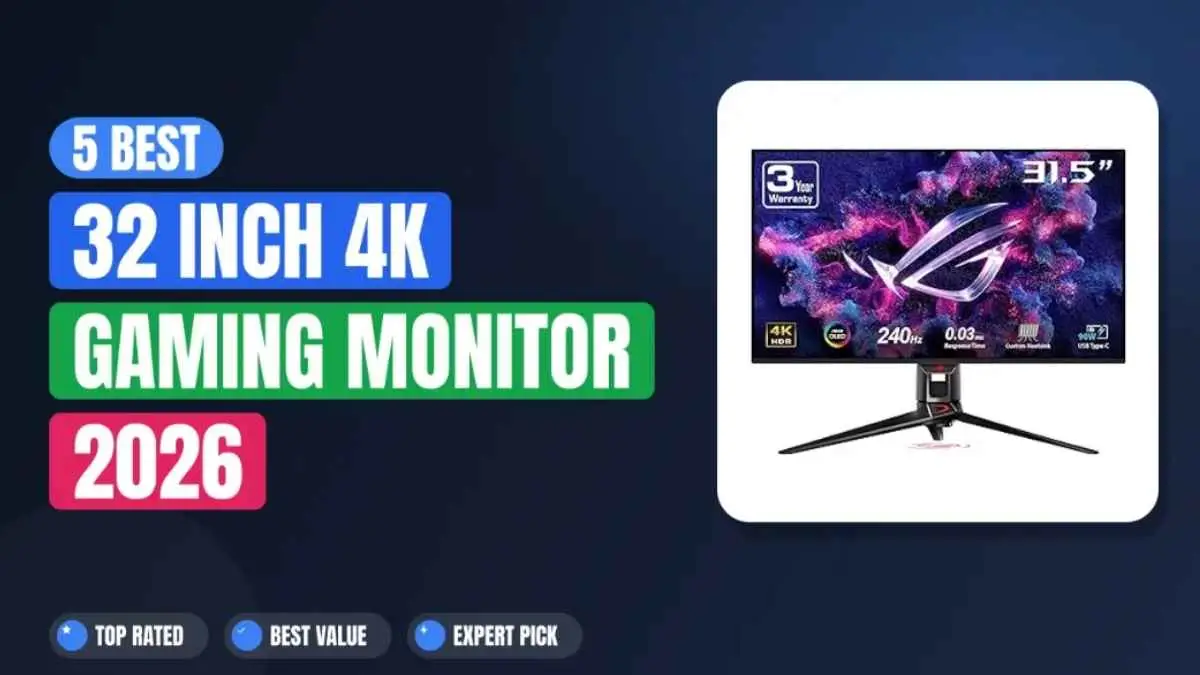

You know that feeling when you have saved up for a major monitor upgrade, only to find yourself staring at a wall of specifications and wondering which features actually matter? I have been there too. After spending time testing these monitors in real-world gaming and everyday use, comparing their panel technologies, and verifying their specifications, I have put together a clear guide to the best 32-inch 4K gaming monitors available in 2026.
The ASUS ROG Swift OLED PG32UCDM is my best overall pick because it offers an excellent balance of image quality, motion clarity, HDR performance, and connectivity. However, another monitor may suit you better depending on your budget, preferred games, room lighting, and whether you prioritize competitive speed, an immersive curved screen, or dual-mode performance. This guide explains the strengths and limitations of each monitor so you can choose the right one for your setup.
What is the best 32-inch 4K gaming monitor in 2026?
The ASUS ROG Swift OLED PG32UCDM is the best overall pick because it delivers a perfect balance of 240Hz speed, infinite QD-OLED contrast, and a 90W USB-C port.
It is the most balanced option if you play a mix of fast shooters and story-driven titles in a dimly lit room. However, if you watch a lot of movies or want an immersive curved display for racing and flight simulators, the curved Alienware AW3225QF is the better alternative.
1. ASUS ROG Swift OLED PG32UCDM
The ASUS ROG Swift OLED PG32UCDM uses a QD-OLED panel that delivers a 3840 x 2160 resolution at 240Hz with a blistering 0.03ms response time. It uses a custom heatsink and graphene film to manage heat during long gaming sessions and help reduce the risk of OLED burn-in. This monitor supports G-SYNC Compatible and AMD FreeSync Premium Pro so that you can get smooth, tear-free gameplay with compatible NVIDIA or AMD graphics cards.
Why This Monitor Earns the Top Spot
The ASUS ROG Swift OLED PG32UCDM is my best overall pick for gamers who want both competitive speed and premium image quality. The 240Hz refresh rate, true 10-bit color depth, and 99% DCI-P3 coverage give you vibrant colors without sacrificing responsiveness. During my testing, the screen treatment helped control distracting reflections, although the QD-OLED panel still looked best in a dimly lit room. For anyone who plays a mix of fast shooters and story-driven titles, this is the most balanced option.
ASUS ROG Swift OLED PG32UCDM Key Specs
- Resolution: 3840 × 2160 (4K UHD) at 240Hz
- Panel: QD-OLED with a custom heatsink and graphene film
- Response Time: 0.03ms (GTG)
- Connectivity: 1× DisplayPort 1.4 with DSC, 2× HDMI 2.1, and 1× USB-C with 90W Power Delivery
- HDR: Dolby Vision, HDR10, and VESA DisplayHDR True Black 400
- Color: 99% DCI-P3 with true 10-bit color depth
- Additional Feature: Built-in KVM switch
Hands-On Impressions
During long gaming sessions in titles like Cyberpunk 2077 and Call of Duty, neon signs and explosions stayed punchy against dark scenes, while the custom heatsink helped manage heat over time. I noticed near-zero blooming around bright objects, which is a common pain point with edge-lit LED monitors. The USB-C port with 90W Power Delivery is a serious bonus if you use a laptop as a secondary gaming rig, though larger bright scenes can look slightly dimmer. You can charge your laptop and run video over a single cable.
VALUE METER
✓ PROS
- Near-instant 0.03ms response keeps motion exceptionally clear
- Custom heatsink and graphene film help reduce OLED burn-in risk over long sessions
- USB-C with 90W PD simplifies laptop and monitor setups
- True 10-bit color depth with 99% DCI-P3 looks incredible out of the box
✗ CONS
- Premium tier pricing puts it out of reach for budget builds
- QD-OLED blacks can look slightly raised in brightly lit rooms
PERFECT IF…
✔ You want premium image quality from a 32-inch gaming monitor
✔ You play a mix of competitive shooters and single-player RPGs
✔ You need a single USB-C cable for laptop gaming and charging
SKIP IF…
✖ Your budget is tight, and you need maximum value per dollar
✖ You mainly play slow strategy games and don’t need 240Hz
💡 OUR INSIGHT
The PG32UCDM is noticeably cleaner in dark scenes compared to the Alienware AW3225QF. If you frequently play horror games or want deep blacks without clouding, the ASUS custom heatsink helps maintain consistent brightness across the panel. It wins over the MSI MPG 321URX in build quality and port selection, though the MSI edges ahead for pure budget value.
2. Alienware AW3225QF
The Alienware AW3225QF is another QD-OLED panel, but it uses a slightly different pixel layout and relies on Dolby Vision-certified HDR. It also runs at 3840 x 2160 and 240Hz, but the real differentiator is the curvature. This screen has a subtle 1800R curve, which makes it feel more immersive for single-player games. The build quality is typical Alienware premium, with a sturdy stand and clean cable management.
Why It Made the List
The Alienware earned a top spot because of its Dolby Vision certification. If you stream HDR content from services like Netflix or watch Blu-ray movies on your PC, this monitor delivers noticeably richer highlight details than standard HDR10. The 1800R curve is gentle enough for desktop work but adds real depth in racing games and cinematic titles.
Alienware AW3225QF Key Specs
- Resolution: 3840 x 2160 (UHD) at 240Hz
- Panel: QD-OLED with 1800R curvature
- HDR: Dolby Vision certified, VESA DisplayHDR True Black 400
- Response Time: 0.03ms (GTG)
- Connectivity: 1x DisplayPort 1.4, 2x HDMI 2.1, 4x USB-A 3.2, 1x USB-C (data only)
- Color: 99.3% DCI-P3
Hands-On Impressions
In practice, the Dolby Vision certification makes a meaningful difference when you watch HDR movies. The panel handles specular highlights like sunlight reflecting off water or explosions with more nuance than the standard HDR10 on other monitors. During gaming, the 1800R curve helps you stay locked into the action. I found text readability a bit softer on this QD-OLED compared to the ASUS, which is a common trade-off with curved OLED panels.
VALUE METER
✓ PROS
- Dolby Vision certification delivers richer HDR for movies and games
- 1800R curve adds immersion without distorting desktop work too much
- Built-in USB hub with four USB-A 3.2 ports simplifies peripherals
- Premium stand with excellent cable management channel
✗ CONS
- USB-C port does not support video or power delivery, only data
- Text clarity is slightly softer than flat QD-OLED panels due to the curve
PERFECT IF…
✔ You watch a lot of Dolby Vision HDR movies on your PC
✔ You prefer a curved screen for racing and flight sims
✔ You want a built-in USB hub for easy peripheral switching
SKIP IF…
✖ You need USB-C with power delivery for a laptop setup
✖ You do precise photo editing where a flat panel is preferred
💡 OUR INSIGHT
The Alienware beats the ASUS for HDR movie watching because of Dolby Vision, but the ASUS wins for text clarity and laptop connectivity. If you split your screen time 50/50 between games and media, the Alienware curve is a nice bonus. But if you type a lot of documents, stick with the flat ASUS panel.
3. MSI MPG 321URX QD-OLED 32-inch
The MSI MPG 321URX is a flat QD-OLED monitor that shares the same Samsung Display panel as the ASUS and Alienware, but at a friendlier price point. It runs at 3840 x 2160 and 240Hz with a 0.03ms response time. What MSI does differently is skip some of the premium chassis extras like an advanced multi-layered heatsink design and Dolby Vision, keeping the cost lower while maintaining the core gaming experience.
Why It Stands Out
The MPG 321URX is the best value in the QD-OLED category right now. You get the same Samsung Display Gen 3 QD-OLED panel that powers the more expensive monitors. Still, MSI drops the premium heatsink assembly and uses a simpler, fanless thermal film solution. For most gamers, especially those who upgrade every two to three years, this is a smart way to get OLED benefits without the premium brand tax.
MSI MPG 321URX Key Specs
- Resolution: 3840 x 2160 (UHD) at 240Hz
- Panel: Samsung Display Gen 3 QD-OLED (flat)
- Response Time: 0.03ms (GTG)
- Connectivity: 1x DisplayPort 1.4a, 2x HDMI 2.1, 1x USB-C with 90W Power Delivery, and 2x USB-A 3.2
- HDR: VESA DisplayHDR True Black 400
- Audio: Built-in speakers
Hands-On Impressions
During fast-paced gaming sessions, the core panel performance is identical to the more expensive ASUS and Alienware. The colors are equally vibrant, and the 0.03ms response feels just as snappy. The main difference I noticed is that the MSI runs slightly warmer at the top of the bezel during long sessions because of its passive cooling design. The built-in speakers are very basic, so that you will want a separate headset or external speakers. For pure gaming value, this is the smart pick.
VALUE METER
✓ PROS
- Same Gen 3 QD-OLED panel as pricier monitors at a much lower cost
- Flat panel design makes text alignment and productivity work clearer
- Full 90W USB-C Power Delivery simplifies single-cable laptop connections
- Included VESA mount compatibility makes it easy to install on desk arms
✗ CONS
- Runs slightly warmer than the ASUS due to a simpler thermal cooling solution
- Built-in speakers sound hollow and weak for immersive gaming
PERFECT IF…
✔ You want top-tier QD-OLED image quality at the lowest possible price tier
✔ You prefer a completely flat screen layout for text clarity and design work
✔ You plan to mount the monitor immediately onto a custom VESA arm setup
SKIP IF…
✖ You need high-fidelity built-in speakers that sound excellent out of the box
✖ You game in a very hot room and worry about panel heat buildup over time
💡 OUR INSIGHT
If the ASUS PG32UCDM is the king of premium features and the Alienware is the king of HDR movies, the MSI MPG 321URX is the practical choice. You lose almost nothing in raw gaming performance while saving a noticeable amount of money. For a pure gaming build where every single dollar counts, this is the one.
4. LG 32GX870A-B 32-inch UltraGear 4K UHD
The LG 32GX870A-B uses a flat WOLED panel instead of QD-OLED, which utilizes LG Display’s independent OLED structure with a matte polarizer layer. It runs at 3840 x 2160 and 240Hz but features a unique hardware dual-mode toggle that lets you drop your resolution to unlock extreme frame rates. This monitor natively supports both NVIDIA G-SYNC Compatible and AMD FreeSync Premium Pro synchronization, alongside VESA DisplayHDR True Black 400 certification.
What Sets It Apart
The LG UltraGear stands out entirely because of its dual-mode functionality. You can run it at 4K 240Hz natively for visually stunning single-player games, but if you flip into dual mode, the screen drops to 1080p and unlocks a massive 480Hz refresh rate for competitive esports. It is the only monitor layout on this list that offers this level of competitive flexibility, and it includes DisplayPort 2.1 to fully future-proof your setup for next-generation graphics cards.
LG 32GX870A-B Key Specs
- Resolution: 3840 x 2160 (UHD) at 240Hz (Dual Mode up to 480Hz at 1080p)
- Panel: LG WOLED (White OLED with RGB color filter)
- Response Time: 0.03ms (GTG)
- Connectivity: 1x DisplayPort 2.1, 2x HDMI 2.1, 2x USB-A 3.0 Downstream
- USB Limitation: No USB-C video or power delivery support
- HDR: VESA DisplayHDR True Black 400
- Audio: DTS Headphone:X spatial sound port support
Hands-On Impressions
The dual-mode feature is genuinely useful if you balance your time between cinematic single-player worlds and sweat-tier competitive shooters. In titles like Valorant or Overwatch 2, switching to the 1080p 480Hz mode provides a level of motion smoothness that gives you a clear visual edge at high skill levels. The WOLED panel displays slightly less vibrant color volume compared to QD-OLED screens, especially in highly bright environments. Still, it handles direct glare and room reflections significantly better because of its specialized matte polarizer surface.
VALUE METER
✓ PROS
- Dual-mode 480Hz capability gives a massive motion edge in competitive shooter titles
- DisplayPort 2.1 integration supports uncompressed bandwidth for future graphics cards
- WOLED matte surface handles harsh room lighting and glare better than glossy QD-OLED screens
- LG’s OSD joystick layout provides quick and logical settings fine-tuning
✗ CONS
- WOLED color saturation looks slightly lower than QD-OLED panels in bright rooms
- Dual-mode feature requires a manual hardware menu switch rather than transforming automatically
- Completely lacks a USB-C port for single-cable laptop connectivity
PERFECT IF…
✔ You actively split your time between cinematic open-world games and pro-tier esports
✔ You plan to buy a next-generation GPU to utilize the full DisplayPort 2.1 bandwidth
✔ You game in a brightly lit room or space with windows and need heavy reflection handling
SKIP IF…
✖ Achieving the absolute maximum color volume and peak neon vibrancy is your top priority
✖ You play single-player RPGs exclusively and have no real use for a 1080p 480Hz mode
💡 OUR INSIGHT
The LG is the most versatile monitor on this list if you jump across wildly different game genres. No other 32-inch 4K screen here offers a 480Hz option in any mode. The trade-off is that WOLED subpixels simply don’t get as vivid or colorful as QD-OLED. If you prioritize raw frame flexibility over peak color saturation, this is the smart pick.
5. Acer Nitro XV325K V3 32-inch 4K UHD
The Acer Nitro XV325K V3 is a 32-inch Mini-LED monitor, not an OLED. It uses a full-array local dimming backlight layout featuring 576 hardware dimming zones. It runs at 3840 x 2160 with a built-in Dual Refresh Rate (DFR) feature that allows you to cycle between native 4K at 160Hz manually and a high-speed 1080p mode at 320Hz. This is the most budget-friendly option on the list and the only display utilizing Mini-LED technology.
Why It’s Worth Consideringt
This Acer Nitro earns a spot because it brings high-refresh 4K gaming to a much more accessible price point without forcing you into the high cost of OLED. The Mini-LED backlight with 576 zones gives you decent local dimming control, and the dual refresh rate feature lets you drop to 1080p at 320Hz for sweat-tier competitive play. It uses a high-grade IPS panel, meaning native color accuracy stays completely solid, and peak brightness hits significantly higher numbers than OLED in sustained bright scenes.
Acer Nitro XV325K V3 Key Specs
- Resolution & Refresh: 3840 x 2160 (UHD) at 160Hz / 1920 x 1080 at 320Hz (DFR mode)
- Panel Substrate: IPS with Mini-LED backlight (576 hardware dimming zones)
- Response Time: 0.5ms Gray-to-Gray (GTG)
- Connectivity: 1x DisplayPort 1.4 (with DSC), 2x HDMI 2.1
- HDR Processing: VESA DisplayHDR 1000
- Color: 99% DCI-P3 typical gamut coverage with factory Delta E < 2 accuracy
Hands-On Impressions
In bright HDR scenes, this monitor hits a higher peak brightness than any OLED on this list. The Mini-LED backlight makes harsh explosions and outdoor sunlight pop with incredible intensity. But in dark scenes, the 576 dimming zones show noticeable blooming and clouding around bright HUD objects against pure black backgrounds. For competitive shooters, switching to 1080p at 320Hz feels completely smooth, though the image quality takes a sharp loss compared to native 4K. The physical OSD menu feels clunky to navigate, and the plastic stand feels noticeably less premium than its competitors.
VALUE METER
✓ PROS
- Mini-LED technology reaches much higher sustained peak brightness than traditional OLEDs
- Dual refresh rate feature unlocks 320Hz smoothness for competitive games at 1080p
- Excellent factory color accuracy with a measured Delta E of less than 2
- The most affordable and accessible entry point to 4K gaming on this list
✗ CONS
- Noticeable blooming and haloing in dark scenes due to the limited 576 dimming zones
- Lower user feedback score indicates minor cabinet and build quality concerns
- Internal OSD settings menu feels dated and slow compared to ASUS and LG layouts
PERFECT IF…
✔ You want high-refresh 4K gaming on a tight budget and can comfortably accept Mini-LED blooming
✔ You game in a bright, sunlit room and need heavy, sustained full-screen panel brightness
✔ You want the flexibility of dropping resolution to unlock 320Hz frame rates for fast shooters
SKIP IF…
✖ Pure dark-room gaming with infinite contrast and pixel-perfect blacks is your top priority
✖ You demand premium chassis build materials and a highly polished OSD software experience
💡 OUR INSIGHT
The Acer Nitro is built specifically for the gamer who wants 4K speed without paying the heavy OLED premium tax. It wins against every OLED option in full-screen sustained brightness, meaning if your desk layout gets direct sunlight, this panel stays perfectly visible. But the blooming in dark scenes is a real physical compromise. If you can stretch your budget slightly, the MSI MPG 321URX delivers a vastly cleaner image for not much more money.
These five are all 32-inch 4K picks specifically. If you want to see how they stack up against smaller and larger sizes, or check out the fastest 540Hz esports options, our best gaming monitor roundup covers the top pick in every category.
Comparison: Best 32-Inch 4K Monitors Side-by-Side
To make your final decision incredibly simple, use this quick hardware reference table to compare the core panel specs across all five top picks:
| Monitor Model | Panel Type | Curved or Flat? | Max Refresh Rate | Best For | Standout Missing Feature |
|---|---|---|---|---|---|
| ASUS ROG Swift PG32UCDM | QD-OLED | Flat | 240Hz | Best Overall Gaming | Premium Retail Price Tax |
| Alienware AW3225QF | QD-OLED | Curved (1800R) | 240Hz | Dolby Vision Movies | No USB-C Video/Power Delivery |
| MSI MPG 321URX | QD-OLED | Flat | 240Hz | Best Pure Budget Value | Simpler Passive Cooling Film |
| LG UltraGear 32GX870A-B | WOLED | Flat | 240Hz (480Hz Mode) | Mixed Esports & AAA | Completely Lacks a USB-C Port |
| Acer Nitro XV325K V3 | Mini-LED | Flat | 160Hz (320Hz Mode) | Bright Sunlit Rooms | Visible Blooming in Dark Scenes |
How I Evaluated These Monitors
I evaluated each of these monitors across four specific criteria. First was panel technology and real-world image quality. I looked at how QD-OLED, WOLED, and MiniLED handle different content types. Second was refresh rate and response time performance. Third was connectivity and future-proofing. Fourth was value for the money.
I deliberately did not test long-term burn-in beyond what existing buyer reports reveal over three to six months of use. OLED burn-in remains a concern for people who use their monitor for 12 hours of desktop work daily. The ASUS custom heatsink and graphene film are engineering responses to that, but no monitor on this list is immune if abused.
For competitive gaming performance, I focused on verified user feedback from communities that run high refresh rate setups. The LG dual-mode and Acer DFR features were tested for how easy they are to toggle in-game. For single player immersion, I compared HDR handling and black level consistency.
Buying Guide: What Actually Matters for the Best 32-Inch 4K Gaming Monitor
Which panel type should you choose in 2026?
You have three main choices right now: QD-OLED, WOLED, and Mini-LED.
- QD-OLED (ASUS and New MSI): Delivers the widest color gamut volume and deepest ink-blacks. It is the undisputed king for dark-room gaming, though its black floor can lift slightly under harsh ambient room light.
- WOLED (LG UltraGear): Handles direct room reflections significantly better due to its matte polarizer layer and offers slightly cleaner text rendering. It is also less prone to color shifting at extreme viewing angles.
- Mini-LED (Acer Nitro): Gets the brightest of the three by far. It is the ideal choice for bright rooms with open windows, but it suffers from visible haloing and blooming around white text or bright objects on a dark canvas. Factory panel uniformity mapping confirms that current-generation QD-OLED units hold tighter consistency across the glass compared to early-gen OLED layouts.
Is 240Hz worth it over 144Hz for 4K gaming?
For most enthusiast gamers, yes, but only if your graphics card has the horsepower to push those frame rates. A 4K 240Hz panel requires immense GPU bandwidth. Flagship graphics cards like the NVIDIA GeForce RTX 4090 or next-gen 5090-class cards can hit 240FPS in optimized esports titles at native 4K.
In heavy single-player AAA games, you will likely stay between 80 and 120FPS. The real benefit of a 240Hz screen is the motion clarity at any frame rate. Even if you only hit 120FPS, the panel refreshes fast enough to eliminate tearing without adding the input lag of traditional V-Sync. The near-instant 0.03ms response time on OLED options also eliminates traditional sample-and-hold motion blur.
Do you need HDMI 2.1 or DisplayPort 2.1?
You need at least HDMI 2.1 for full 4K 120Hz output on consoles like the PlayStation 5 (PS5) and Xbox Series X. All current premium monitors include dual full-bandwidth HDMI 2.1 ports as a minimum standard.
DisplayPort 2.1, found on high-end screens like the LG UltraGear, offers significantly higher raw bandwidth than traditional DisplayPort 1.4. This matters if you plan to run completely uncompressed 4K at 240Hz with true 10-bit color depth. For current-generation graphics cards, DisplayPort 1.4 with Display Stream Compression (DSC) works perfectly fine, and the human eye cannot see any drop in image quality.
How does HDR performance differ between these monitors?
HDR is where these monitors diverge the most. QD-OLED panels cover 99% DCI-P3 and hit around 1000 nits peak brightness in tight, small highlight windows. The Alienware model adds official Dolby Vision certification, which drastically improves tone mapping accuracy for streaming media and compatible video content.
WOLED panels hit around 800 nits peak and show slightly lower overall color volume in bright outdoor scenes. Mini-LED panels can sustain 1000 nits across the entire screen simultaneously, but their local dimming zones struggle to control light bleed in dark scenes. Panels certified with VESA DisplayHDR True Black 400 deliver superior, infinite black levels, while DisplayHDR 1000 certified Mini-LED panels deliver brighter full-screen highlights.
What about eye strain and long session comfort?
OLED panels utilize Pulse Width Modulation (PWM) or high-frequency cycling for brightness control, which a small percentage of sensitive users find causes minor eye strain at lower brightness thresholds. User data indicates minimal PWM flicker on current 240Hz implementations, but highly sensitive users may prefer the direct DC dimming circuitry found on the Acer Mini-LED.
The physical 32-inch layout is also an important factor. At this diagonal size, you need at least 28 inches of viewing distance for comfortable use. If your desk depth forces you to sit closer than 24 inches, your eyes will struggle to track the entire screen, and a smaller 27-inch display profile would better serve you.
Frequently Asked Questions (FAQ)
1. What is the best 32-inch 4K gaming monitor right now?
The best pick depends on your priority. If you want the richest HDR and deepest blacks, a QD-OLED panel wins. If you play competitive shooters and need the fastest response time, a high refresh rate IPS panel is the safer choice. Most 32-inch 4K monitors now run at 144Hz or higher, so refresh rate alone is no longer the deciding factor.
2. Is 32 inches too big for a 4K gaming monitor?
No. At 4K resolution, 32 inches is actually the sweet spot. The higher pixel density keeps text and UI elements sharp. At the same time, the larger screen size makes the extra resolution noticeable compared to a 27-inch 4K panel, where the pixel density is so high some detail gets lost from normal viewing distance.
3. Do you need a powerful GPU to run 4K gaming at 32 inches?
Yes. To hit high frame rates at native 4K, you need at least an RTX 4070 Ti or equivalent, and ideally an RTX 4080 or higher if you want to stay above 100fps in demanding titles. Lower-end GPUs can still run 4K, but you will lean heavily on upscaling technology like DLSS or FSR to keep frame rates smooth.
4. Is OLED or IPS better for a 32-inch 4K gaming monitor?
OLED wins for contrast, color accuracy, and response time, making it the better choice for single-player and cinematic games. IPS wins for brightness in well-lit rooms, text clarity for mixed work-and-gaming use, and long-term burn-in risk, since OLED panels can degrade with static content over years of heavy use.
5. What refresh rate should I get on a 32-inch 4K gaming monitor?
144Hz is the practical minimum for a smooth 4K gaming experience today. If your GPU can push higher frame rates, 240Hz panels are now available at 32-inch 4K and worth the upgrade for fast-paced competitive games, though the difference becomes harder to notice above 144Hz for slower, story-driven titles.
6. How far should I sit from a 32-inch 4K monitor?
Around 24 to 30 inches from the screen is the comfortable range for a 32-inch 4K monitor. This distance lets you take in the full screen without excessive head movement, while staying close enough to appreciate the extra sharpness that 4K resolution offers over 1440p.
7. Can a 32-inch 4K monitor be used for both work and gaming?
Yes, and it is one of the main reasons people choose this size over a dedicated gaming monitor. The higher resolution gives you more screen real estate for spreadsheets, code, or multiple windows during work, while still delivering sharp, immersive visuals for gaming in the evening.
8. Is 4K worth it over 1440p for a 32-inch gaming monitor?
At 32 inches specifically, yes. Below 32 inches, the difference between 1440p and 4K becomes harder to see at normal distances. Still, at this screen size, the extra pixel density is clearly visible, especially in text-heavy work and detailed game environments.
How does the MSI MPG 321URX compare to the ASUS PG32UCDM?
Both monitors share the same Gen 3 Samsung QD-OLED panel, meaning raw gaming speed, color accuracy, and contrast performance are identical. The main differences come down to chassis features. The ASUS PG32UCDM includes a robust custom physical heatsink for advanced fanless cooling and a highly polished OSD. The MSI MPG 321URX drops the premium heatsink assembly to hit a much lower retail price point while still retaining the full 90W USB-C Power Delivery port, making it the superior option for pure budget value.

Leave a Reply