
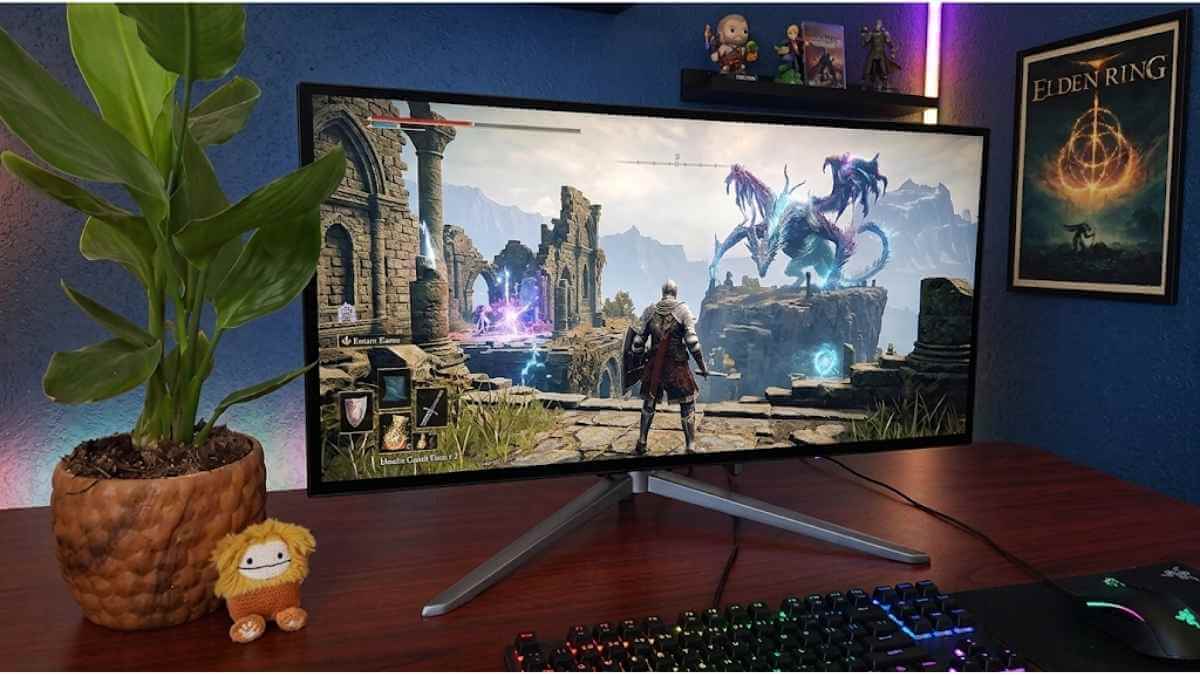

KTC monitors are worth buying in 2026 for one reason: Fast IPS and Mini-LED panels at prices ASUS, LG, and Samsung can’t match. You get 1440p, 165Hz+ refresh, wide color gamut, and real HDR contrast. You give up fast warranty support and built-in speakers.
KTC is an OEM manufacturer with two decades of panel-making experience, having built screens for major brands before selling directly to them. This review covers three things:
- Whether KTC’s Fast IPS and Mini-LED panels hold up against mainstream brands
- How KTC gaming performance feels after weeks of real use
- Which buyers should choose KTC and which should look elsewhere
What Makes KTC a Credible Budget Monitor Brand in 2026
KTC earns credibility from two decades of OEM manufacturing, then cuts the brand markup by selling direct, a rare combination in the budget monitor space.
1. Nearly Three Decades of Display Manufacturing Experience Behind the Brand
KTC (Key To Combat) brings over two decades of display manufacturing experience. That history shows up in stand construction, panel selection, and local-dimming implementation, areas where newer budget brands typically cut corners.
2. OEM Manufacturing Background and Display Industry Experience
KTC manufactured premium panels for major technology brands for years before selling under its own name. The engineering behind a KTC monitor is the same engineering that powered far pricier branded displays.
3. Value-Focused Pricing That Cuts Down Brand Markup
KTC’s direct-to-consumer model removes the markup that inflates ASUS, LG, and Samsung pricing. Fast IPS panels with 1ms GtG, Mini-LED with 1,000+ dimming zones, HDMI 2.1, USB-C power delivery, and full ergonomic stands all appear at prices where mainstream brands offer far less.
How KTC Competes Against ASUS, LG, Samsung, Dell, and AOC
| Feature | KTC | Mainstream Brands |
|---|---|---|
| Mini-LED, 1,000+ zones | Budget pricing | Mid-to-premium tier |
| Fast IPS, 1ms GtG | Standard | Priced higher |
| HDMI 2.1 + DP 1.4 | Most models | Higher tiers only |
| Ergonomic stand | Standard | Often cut on budget models |
KTC doesn’t beat these brands everywhere; warranty infrastructure still favors ASUS, LG, and Samsung. But equivalent panel technology at a lower price forces a real comparison.
KTC Monitor Design and Build Quality: What Should Buyers Expect?
KTC monitors offer matte black finishes, frameless three-sided bezels, and full ergonomic stands on select models. Build quality favors structural integrity over RGB flash.
Sleek Matte Black Aesthetics and Three-Sided Frameless Design
The matte finish resists fingerprints. Ultra-thin 1mm top and side bezels create an edge-to-edge look that suits dual- and triple-monitor setups especially well.
Stand Quality Varies by Model
Entry-level KTC models offer basic tilt only. Mid-range and premium models add height, swivel, and pivot. Always check the specific model’s stand specs before buying.
Fully Ergonomic Stands on Select Premium Models
The KTC 27M1 delivers 150mm height adjustment, -5°/+35° tilt, ±60° swivel, and -5°/90° pivot. The wide base stays stable during intense gaming, and position markings make it easy to return to your preferred setup.
VESA Compatibility and Multi-Monitor Setup Advantages
Every KTC model supports standard 100×100mm VESA mounting with M4×10mm screws. Combined with the frameless bezels, a VESA-mounted KTC array creates a near-seamless multi-monitor field.
Build Quality Verdict
| Feature | KTC Performance |
|---|---|
| Finish | Matte black, fingerprint-resistant |
| Bezels | 1mm top/sides, ~16mm bottom |
| Stand | Full ergonomics on premium models |
| VESA | 100×100mm across the lineup |
Panel Technology That Sets KTC Apart from Other Budget Brands
KTC’s advantage over typical budget brands is Fast IPS with 1ms MPRT, Mini-LED backlighting with real local dimming, and dual-mode resolution-switching hardware normally reserved for mid-to-premium monitors.
Fast IPS Panels Delivering 1ms Response Time and Wide Viewing Angles
Fast IPS delivers 1ms MPRT, keeping ghost trails minimal in fast-paced gaming. Wide viewing angles stay consistent even off-axis. Refresh rates reach 160 Hz and 320Hz on select models.
Mini-LED Backlighting with Over 1,000 Local Dimming Zones for Deep Blacks
KTC’s Mini-LED backlights use 576 zones on models like the M27P20P and over 1,000 zones on higher tiers. More zones mean deeper blacks and brighter highlights in the same frame — contrast that edge-lit IPS panels can’t replicate. HDR1000 models hit 1,000 nits peak brightness.
4K Mini-LED and Dual-Mode Technology
KTC’s 27-inch dual-mode Mini-LED monitor switches between two profiles:
| Mode | Resolution | Refresh Rate |
|---|---|---|
| 4K UHD | 3840×2160 | Up to 160Hz |
| 1080P FHD | 1920×1080 | Up to 320Hz |
4K mode suits single-player and content viewing; 1080p mode suits competitive multiplayer. HDR1400 certification keeps both modes sharp.
IPS vs VA vs Mini-LED: Which Panel Should You Choose?
| Panel | Strength | Best For |
|---|---|---|
| Fast IPS | Wide angles, fast response | Competitive gaming |
| VA | High native contrast | Movies, casual gaming |
| Mini-LED (IPS) | Deep blacks + speed + brightness | Premium gaming, HDR |
KTC’s Mini-LED lineup combines Fast IPS speed with VA-level contrast. Pick Fast IPS for pure speed; pick Mini-LED for the fullest visual package.
Gaming Performance: Speed, Accuracy, and Smoothness
KTC gaming monitors deliver refresh rates up to 320Hz, sub-5ms input lag, and Adaptive Sync via both FreeSync and G-Sync, the core benchmarks that matter for smooth, tear-free gameplay.
Refresh Rate Options for Different Types of Gamers
| Refresh Rate | Best For |
|---|---|
| 144Hz | Casual and mid-tier gamers |
| 165–240Hz | Competitive FPS and action |
| 320Hz (H27E6) | Esports and pro-level play |
1440p High Refresh Gaming Sweet Spot
The KTC H27E6 pairs 2560×1440 QHD with 320Hz on a 27-inch Fast IPS panel — a combination mainstream brands price much higher. Dual HDMI 2.1 and DisplayPort 1.4 support full 1440p at 320Hz, and it works cleanly with PS5, Xbox Series X, and gaming PCs.
Response Time and Motion Clarity in Fast-Paced Games
The H27E6’s 1ms response time eliminates visible ghosting in titles like Valorant and CS2. Fast IPS balances speed and color quality, unlike TN panels, which sacrifice one for the other.
Adaptive Sync for Tear-Free Gameplay
The H27E6 supports both FreeSync and G-Sync, working with AMD and NVIDIA GPUs without a secondary purchase. That dual compatibility removes a common friction point at this price tier.
Input Lag Under 5ms for a Competitive Edge in Fast-Paced Games
KTC treats low input lag as a core design priority, not an afterthought. Paired with high refresh rates, it gives FPS and racing players the responsiveness competitive play demands.
Overdrive Settings: Speed vs Overshoot
KTC’s tunable overdrive lets you balance pixel speed against overshoot. Higher settings sharpen motion; lower settings reduce inverse ghosting. Fast IPS keeps the risk of overshoot lower than TN at similar overdrive levels.
HDR Performance and What Budget Buyers Should Realistically Expect
Most monitors under $300 carry HDR400 certification, 400 nits, no local dimming, and washed-out highlights. Real HDR needs high peak brightness, deep local dimming, and wide color volume working together.
Why HDR400 Is Not the Same as Real HDR
HDR400 is marketing, not performance. A single-zone backlight can’t produce both bright highlights and deep blacks at once, so HDR400 panels look like slightly brighter SDR images.
Why Mini-LED Models Deliver More Convincing HDR Than Standard LCDs
Mini-LED backlights pack thousands of tiny LEDs into hundreds or thousands of independent dimming zones. The KTC M27P6 uses 1,152 zones, rivaling monitors that cost two to three times more. Dark scenes keep shadow detail; highlights punch with real intensity.
DisplayHDR 1000 vs DisplayHDR 1400
| Certification | Peak Brightness | Practical Quality |
|---|---|---|
| DisplayHDR 1000 | 1,000 nits | Strong, visible local dimming |
| DisplayHDR 1400 | 1,400 nits | Near-premium, intense highlights |
DisplayHDR 1000 is the minimum tier where HDR feels genuinely impactful on an LCD. KTC’s flagship Mini-LED models reach DisplayHDR 1400.
KTC M27T6S HDR Value
The M27T6S delivers meaningful HDR above basic HDR400 at an accessible price. It offers improved brightness headroom and local dimming, making it a practical entry point into KTC’s HDR tier.
KTC M27P6 HDR and Dual-Mode Advantage
With 1,152 local dimming zones and DisplayHDR 1400, the M27P6 rivals ASUS, LG, and Samsung at much higher price points. Its dual-mode switching, 4K/160Hz for HDR gaming and 1080p/320Hz for esports, makes that HDR performance useful across contexts.
F. How to Spot Overhyped HDR Claims Before You Buy
- Check the DisplayHDR tier; look for 600 minimum, ideally 1000+
- Check local dimming zone count; higher means more precise contrast
- Read third-party measurements from RTINGS or Hardware Unboxed
- Check r/Monitors for real-world HDR impressions
- Verify panel type: Mini-LED with high zone counts delivers real budget HDR
Color Accuracy and Professional Use Beyond Gaming
The KTC M27P6 hits 99.5% sRGB, 98% DCI-P3, and 97% Adobe RGB, strong coverage for a budget Mini-LED panel, though out-of-the-box accuracy still needs manual tuning.
1. Full sRGB and Wide DCI-P3 Coverage on Select Models
| Model | sRGB | DCI-P3 |
|---|---|---|
| KTC M27P6 | 99.5% | 98% |
| KTC H27P3 | Factory-calibrated | Listed |
Coverage proves the hardware’s ceiling, not its factory calibration. Web creators should target sRGB; wide-gamut work needs the export target aligned with the OS color space.
2. Out-of-the-Box Vibrancy vs Accuracy
KTC’s Mini-LED panels ship slightly cool. Switching to the Standard or sRGB preset and nudging the RGB or gamma settings brings the image closer to neutral. Vivid presets push saturation too far for editing work.
3. Should Content Creators Buy KTC?
Yes, for indie editing, YouTube publishing, and hybrid gaming-plus-work desks. The M27P6 and M27T6S offer enough color coverage for real use. Skip KTC for client-proof color grading or multi-screen print-matched workflows that need verified, repeatable Delta E accuracy.
4. Wide Viewing Angles and Long Work Sessions
IPS and Mini-LED KTC panels hold color and contrast steady across viewing angles during long sessions. A fully adjustable stand adds real comfort once sessions run past a couple of hours.
Connectivity Features That Support Modern Gaming and Productivity Setups
The KTC H27E6 ships with dual HDMI 2.1 and dual DisplayPort 1.4, directly supporting PS5, Xbox Series X, and gaming PCs at 1440p up to 320Hz. It lacks USB-C and a KVM switch.
1. DisplayPort 1.4 for Maximum PC Gaming Performance
Two DisplayPort 1.4 inputs drive 1440p at 320Hz uncompressed. G-Sync compatibility is available exclusively over DisplayPort on this model, so high-end GPUs face no cable-level bottlenecks.
2. HDMI 2.1 Support for PS5 and Xbox Series X at High Resolutions
Dual HDMI 2.1 ports enable full console VRR, unlike the HDMI 2.0 that many budget monitors still use. PS5 and Xbox Series X owners get proper Variable Refresh Rate support here.
| Input | Count | Best Use |
|---|---|---|
| DisplayPort 1.4 | 2x | PC gaming, G-Sync |
| HDMI 2.1 | 2x | PS5, Xbox, VRR |
| USB | 1x | Firmware updates only |
3. USB-C with Power Delivery for Single-Cable Laptop Connections
The H27E6 has no USB-C Power Delivery, only a firmware-update service port. Buyers needing single-cable laptop charging should look at other KTC models.
4. Built-in KVM for Hybrid Work-Gaming Setup
No KVM switch or USB hub ships with the H27E6. Hybrid workers switching between a gaming PC and a laptop need an external solution.
5. Connectivity Verdict
The H27E6 delivers on raw PC and console gaming connectivity. For USB-C or KVM, check other KTC models.
Reliability Over Time and What Buyers Should Check
KTC reliability comes down to panel consistency, firmware stability, and acting fast within the return window.
Visual Consistency Checks for Dead Pixels, Backlight Bleed, and Edge Glow
Run a black, white, and gray screen check at daily-use brightness. Look for dead pixels, backlight bleed at the edges, edge glow, and uneven brightness patches. ISO 9241-307 Class II is the benchmark for normal panel variation versus a real defect.
Behavioral Reliability Including Adaptive Sync Stability and Port Consistency
| Test | Watch For |
|---|---|
| Input switching | Consistent handshake, no blank screens |
| Power cycle | Settings saved correctly |
| Adaptive sync | No flicker across frame rates |
KTC supports both FreeSync and G-Sync smoothly in normal use, but stress-test it across different frame rates and after sleep cycles before trusting it fully.
A 15-Minute Reliability Test Every KTC Buyer Should Run on Arrival
- Minutes 1–3: dead pixel scan on black, white, red, green, blue
- Minutes 4–6: backlight uniformity on gray
- Minutes 7–9: input switching and wake behavior
- Minutes 10–12: OSD settings save test after power cycle
- Minutes 13–15: adaptive sync check in a game
Photograph anything unusual immediately; timestamped evidence matters if the issue reappears later.
D. Why Return Window Matters
KTC’s 15-day return window is your strongest protection, including return shipping support. After it closes, resolution runs through the warranty process instead. Save your receipt, serial number photo, and any arrival-test photos immediately.
Ultrawide vs Standard 16:9 KTC Models and Which Delivers Better Value
Choose a KTC ultrawide for multitasking and immersive single-player gaming. Choose the standard 16:9 aspect ratio for esports and compact desks.
Where 21:9 Ultrawide Excels for Multitasking and Immersive Gaming
A 34-inch 3440×1440 KTC ultrawide holds two full apps side by side without a bezel split. Racing, open-world, and cockpit-view games benefit from the wider peripheral field. Stop maximizing every app to full screen to actually use the extra width.
Why Standard 27-Inch 16:9 Still Wins for Esports and Compact Desk Setups
Many esports titles lock output to 16:9, so ultrawide width goes unused there. A 27-inch 16:9 panel also offers more total screen area (~311 sq in) than a same-diagonal ultrawide (~264 sq in) and fits tighter desks.
| Scenario | 27″ 16:9 | 34″ 21:9 |
|---|---|---|
| Esports compatibility | Excellent | Limited |
| Multitasking | Moderate | Strong |
| Desk footprint | Compact | Wide |
GPU Demands and Software Compatibility Considerations for Ultrawide Buyers
3440×1440 renders roughly 34–35% more pixels than 2560×1440, so a stronger GPU is needed to hold 144Hz+. Some older games show black bars or stretched HUDs on ultrawide — check game-by-game support before buying.
Buyer Verdict
Choose the ultrawide if you multitask daily and your GPU can sustain the higher pixel load. Choose the standard 16:9 aspect ratio for competitive gaming, document work, or a compact desk.
KTC vs Mainstream Monitor Brands
KTC undercuts ASUS, LG, Samsung, Dell, and AOC on price for equivalent panel tech, at the cost of thinner warranty support.
1. KTC vs ASUS
ASUS TUF/ROG models run $300–$450 versus KTC’s $200–$280 at 27″ 1440p. ASUS wins on build polish and global support; KTC wins on specs per dollar.
2. KTC vs LG
LG UltraGear ships more color-accurate out of the box, but KTC’s Mini-LED models match LG’s HDR brightness specs at roughly half the price.
3. KTC vs Samsung
Samsung’s OLED and QD-OLED Odyssey models beat KTC on contrast and pixel response. KTC’s budget Mini-LED models beat Samsung’s entry-level VA panels on peak brightness and HDR zone control.
4. KTC vs Dell
Dell UltraSharp wins for factory-calibrated professional color work. KTC can’t match that QC. For gaming, KTC’s refresh rates and HDR specs outclass Dell’s gaming lineup at similar prices.
5. KTC vs AOC
This is the closest matchup. KTC pulls ahead on HDR brightness via Mini-LED; AOC wins on retail availability and easier returns.
6. Overall Brand Comparison Verdict
KTC wins on specs and price. Mainstream brands win on warranty depth, retail availability, and QC consistency. Choose based on how much you value hands-off ownership versus raw hardware value.
Best KTC Monitor Models Recommended for 2026
Six KTC models cover budget Fast IPS through flagship 4K Mini-LED.
1. KTC H27T22S — Best Budget 1440p 180Hz Pick
Fast IPS, 1440p, 180Hz, 1ms GtG, with FreeSync and G-Sync Compatible support — fluid motion without overspending.
2. KTC H27T22 Best Balanced 1440p Gaming Value
The same Fast IPS foundation as the H27T22S at a lower price, with 95%+ DCI-P3 coverage and a full ergonomic stand, is the most accessible entry into KTC’s 1440p lineup.
3. KTC H27T22C-3 Best Ultra-Budget 1440p High-Refresh Pick
KTC’s lowest-priced route into 1440p high-refresh gaming, keeping Fast IPS color accuracy and low input lag intact.
4. KTC M27T6S Best Budget 1440p Mini-LED HDR Pick
KTC’s entry into Mini-LED territory. Local dimming zones let dark areas go properly dark while highlights stay punchy, a real step up from standard IPS backlighting.
5. KTC M27T6 Best VA Mini-LED Contrast Option
A VA panel with Mini-LED backlighting for maximum native contrast is the pick for horror titles and cinematic gaming where shadow detail matters most.
6. KTC M27P6 Best 4K Mini-LED Dual-Mode Gaming Monitor
KTC’s flagship: 1,152 local dimming zones, DisplayHDR 1400, and dual-mode switching between 4K/160Hz and 1080p/320Hz are genuinely useful for both cinematic and competitive play.
Pros and Cons of Choosing KTC Over Mainstream Monitor Brands
KTC trades brand polish for panel value; specs per dollar usually win.
| Factor | KTC | Mainstream Brands |
|---|---|---|
| Price-to-specs ratio | ✅ Strong | ❌ Premium markup |
| HDR (Mini-LED) | ✅ Up to HDR1400 | ✅ Higher price points |
| Color out of box | ⚠️ Needs tuning | ✅ More calibrated |
| Built-in speakers | ❌ Mostly absent | ✅ Common |
| Warranty support | ⚠️ Slower | ✅ Predictable |
| Adaptive sync | ✅ Both supported | ✅ Both supported |
KTC wins on the panel itself; mainstream brands win on ownership experience. If a premium brand offers a benefit you’ll actually notice daily, pay for it; otherwise, KTC’s value case holds.
Who Should Buy a KTC Monitor and Who Should Skip It
KTC suits budget-conscious gamers and creators who verify specs and read return policies. Skip it if you need polished local support or built-in speakers.
Who Should Buy a KTC Monitor
Gamers want high refresh rates and low input lag without a brand premium. Creators need decent DCI-P3 coverage alongside gaming performance. Productivity users who value USB-C setups and ergonomic stands.
Who Should Skip a KTC Monitor
Buyers who need fast local warranty service, built-in speakers, or brand resale value should choose a mainstream option instead.
Use-Case Verdict by Buyer Type
| Buyer Type | Verdict |
|---|---|
| Budget gamer | Strong buy |
| Creative professional | OK for casual editing only |
| Ultrawide enthusiast | Worth considering |
| Reliability-first buyer | Proceed cautiously |
Smart Buying Tips Before the Return Window Closes
Buy from a verified retailer, confirm the model number, test every port within 48 hours, and keep the packaging until satisfied.
1. Buy From a Trusted Retailer
Stick to Amazon, B&H, or KTC’s official store. Gray-market sellers sometimes ship outdated firmware or mismatched units.
2. Check the Exact Model Number
Match the sticker on the back to your order. H27T22S, M27T6S, and M27P6 have very different specs despite similar names.
3. Confirm Port Bandwidth
Plug in a 4K/144Hz source immediately to confirm HDMI 2.1 delivers full bandwidth, not a hidden HDMI 2.0 limit.
4. Test the Panel Immediately
- Run a dead-pixel check in the first 24 hours
- Test every refresh rate mode
- Check for backlight bleed at full brightness
5. Keep the Packaging
Don’t break down the box before day 25. Most return windows run for 30 days, and damaged packaging complicates a swap.
6. Calibrate for Better Accuracy
Run a basic DisplayCAL calibration. Even a cheap colorimeter noticeably lowers Delta E on KTC panels for both gaming and productivity use.
KTC’s Fast IPS panels, Mini-LED contrast, and ergonomic stands make a genuine case at this price. My picks: the H27T22 for balanced value and the M27P6 for the fullest feature set. Buy from a trusted retailer, test within the return window, and match the model to your use case.

Leave a Reply