
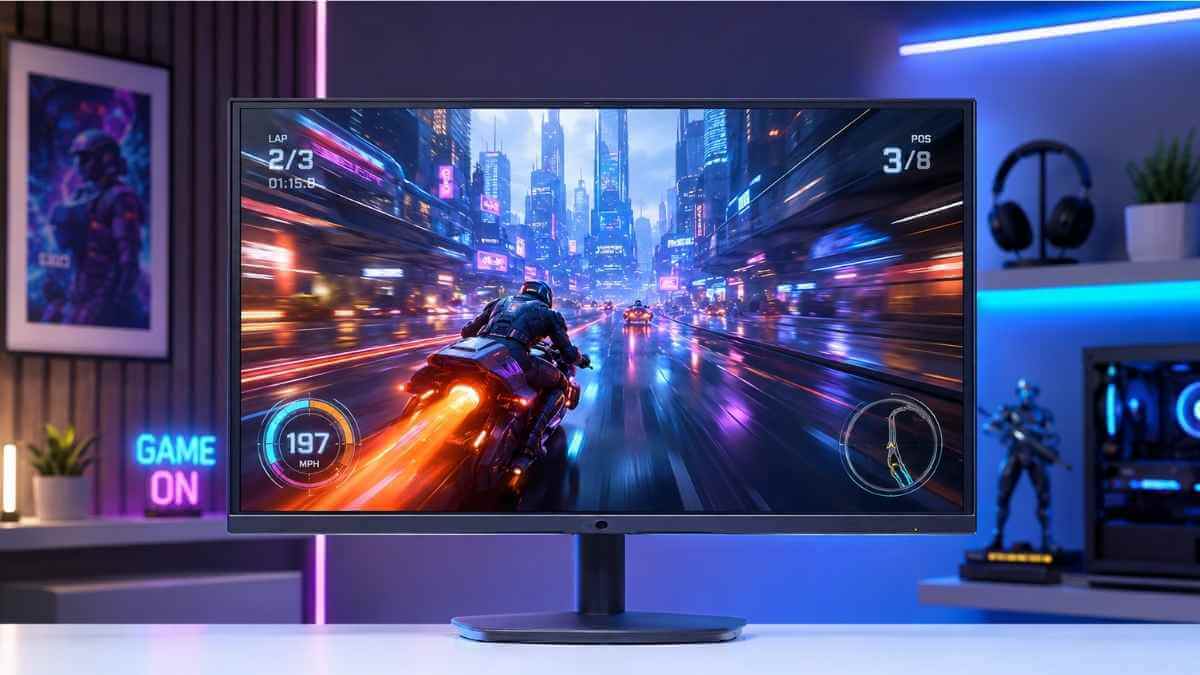

You don’t need to spend $400 to get a great gaming monitor. The best gaming monitors under $200 in 2026 now offer high refresh rates, fast response times, sharp image quality, and features that were once limited to more expensive displays. Whether you are building your first gaming PC, upgrading an old monitor, or looking for better competitive performance, budget options can deliver excellent value.
This guide compares the top budget gaming monitors based on refresh rate, panel technology, response time, adaptive sync support, and overall price-to-performance value.
Here’s what you’ll find inside:
- The top 7 picks were researched and compared based on specifications, features, and real-world gaming value
- IPS vs VA panels: a clear breakdown of which panel type is better for different gaming preferences
- Common buying mistakes so you don’t waste money on a monitor that looks good on paper but disappoints on your desk
Every monitor on this list was selected for strong gaming performance under $200, including options with high refresh rates, better image quality, and support for different gaming needs.
How We Chose the Best Gaming Monitors Under $200
We analyzed dozens of gaming monitors under $200, comparing specifications, expert reviews, user feedback, and real-world gaming performance. Each monitor was evaluated across six key criteria to identify the best balance of features, performance, and overall value.
A. Refresh Rate & Response Time
For budget gaming monitors in 2026, we set a hard floor of 144Hz as the minimum acceptable refresh rate. Anything lower simply doesn’t cut it when you’re competing or just trying to enjoy smooth gameplay. On top of that, we looked for 1ms response time (GtG or MPRT), since ghosting and motion blur can completely ruin fast-paced games like shooters or racing titles, no matter how cheap the monitor is.
- Minimum refresh rate we accept: 144Hz
- Preferred refresh rate: 165Hz–180Hz
- Response time target: 1ms GtG or MPRT
- Why it matters: Higher refresh rates improve motion clarity and can reduce perceived input delay, especially in fast-paced games.
B. Panel Type (IPS vs VA vs TN)
Panel type is one of the biggest decisions when picking a budget gaming monitor, and each has real trade-offs worth knowing.
| Panel Type | Strengths | Weaknesses | Best For |
|---|---|---|---|
| IPS | Accurate colors, wide viewing angles | Lower contrast compared with VA panels | Story games, competitive play |
| VA | Deep blacks, high contrast ratio | Ghosting on fast motion | Dark environments, cinematic games |
| TN | Very fast response but limited color quality | Poor colors, narrow viewing angles | Hardcore competitive play |
We leaned toward IPS and VA panels for our picks, since TN panels prioritize speed over image quality, making IPS and VA panels more attractive for most modern gamers. The IPS vs VA gaming monitor debate really comes down to your gaming environment, more on that in a later section.
C. Resolution & Image Quality
At this budget, 1080p (1920×1080) remains the sweet spot. It remains one of the best choices for gamers who want high frame rates without requiring an expensive GPU, letting you hit those high frame rates that make a 144Hz+ display worthwhile. We also checked:
- Color accuracy (sRGB coverage, ideally 95%+)
- Peak brightness (minimum 250 nits, preferably 300+)
- Contrast ratio (higher is better, especially for VA panels)
- HDR support (a nice bonus, though true HDR under $200 is limited)
D. Adaptive Sync Support
Most monitors on our list support adaptive sync technologies such as AMD FreeSync or NVIDIA G-SYNC compatibility. Screen tearing is one of the most distracting things in gaming, and there’s no reason to accept it when adaptive sync comes standard even on affordable gaming monitors in 2026. We checked that each panel’s sync range was wide enough to actually be useful. We prioritized monitors with a wide adaptive sync range for smoother gameplay.
E. Build Quality & Ergonomics
A gaming monitor under $200 doesn’t have to feel cheap. We checked each monitor for:
- Height adjustment (not just tilt)
- VESA mount compatibility (100×100mm standard)
- Cable management solutions
- Port selection: connectivity options including DisplayPort, HDMI support, and compatibility with modern gaming setups.
- Stand stability under desk vibration
Monitors that only offered tilt adjustment with no height or swivel options scored lower on our list. Ergonomics matter for long gaming sessions, and a wobbly stand is just frustrating.
F. Price-to-Performance Ratio
The price-to-performance evaluation was one of the strictest criteria in our selection process. Every pick had to deliver genuine value, not just a low price tag or impressive specifications on paper. We compared:
- Street price vs. MSRP (we used real market prices, not inflated retail tags)
- Features per dollar compared to competing models
- Long-term reliability based on brand reputation and user feedback
The goal was to identify monitors that deliver the strongest combination of gaming performance, features, and value within the $200 price range.
Best Gaming Monitors Under $200 (Top 7 Picks)
7. Scepter U275W-UPT — Best Budget 4K Monitor
The Scepter U275W-UPT is a budget-friendly 4K monitor designed for gamers and creators who prioritize sharp image quality over high refresh rates. It delivers sharp visuals on a 27-inch panel at an unbeatable price point, making it ideal for casual gamers and content creators who want crisp detail on a tight budget.
Key Specs:
- Resolution: 3840 x 2160 (4K UHD)
- Panel Type: VA
- Refresh Rate: 60Hz
- Response Time: 4ms
- Connectivity: HDMI 2.0, DisplayPort
What You Get:
- True 4K sharpness for movies, games, and productivity
- Decent contrast thanks to the VA panel
- Budget-friendly entry into 4K gaming
Where It Falls Short:
- 60Hz refresh rate limits competitive gameplay
- VA panel has slower response times compared to IPS
Best for: Casual gamers, content consumers, and users upgrading from 1080p displays.
6. Arzopa Z3FC — Best Portable Gaming Monitor
The Arzopa Z3FC is the best portable gaming monitor under $200 for gamers who need a second screen on the go. It’s lightweight, USB-C powered, and delivers a high-refresh portable gaming experience with a compact design suitable for laptops and travel setups.
Key Specs:
- Resolution: 2560 × 1440 (QHD)
- Panel Type: IPS
- Refresh Rate: 180Hz
- Response Time: 1ms
- Connectivity: USB-C, Mini HDMI
What You Get:
- Plug-and-play setup, no external power brick needed
- Solid IPS colors for a portable display
- 144Hz refresh rate is surprisingly smooth for its size
Where It Falls Short:
- Smaller screen size compared to desktop monitors
- The stand isn’t as sturdy as traditional monitor stands
Best for: Laptop gamers, travelers, and anyone who wants a portable 144Hz gaming monitor under $200 without sacrificing refresh rate performance.
5. Gigabyte GS27Q — Best 1440p Value Upgrade
The Gigabyte GS27Q gives you a genuine 1440p upgrade at a price that doesn’t hurt your wallet. If you’ve been gaming at 1080p and want noticeably sharper visuals with faster response times, this monitor is one of the strongest value options for gamers upgrading from 1080p displays.
Key Specs:
- Resolution: 2560 x 1440 (QHD)
- Panel Type: IPS
- Refresh Rate: 165Hz
- Response Time: 1ms
- Connectivity: HDMI 2.0, DisplayPort 1.2
What You Get:
- Sharp 1440p IPS panel with vibrant colors
- 165Hz refresh rate keeps gameplay buttery smooth
- AMD FreeSync Premium reduces screen tearing
Where It Falls Short:
- HDR support is basic at this price point
- The stand only allows tilt adjustment
Best for: PC gamers ready to step up from 1080p who want better image quality and a higher refresh rate without spending over $200.
4. MSI MAG 255XF — Best FPS Gaming Monitor
The MSI MAG 255XF is aimed at competitive gamers who prioritize refresh rate, response time, and motion clarity over resolution. Designed specifically for FPS titles, it delivers the speed and responsiveness needed for games where every millisecond matters. With a high refresh rate and low input lag, it is a strong choice for players seeking smooth competitive performance.
Key Specs:
- Resolution: 1920 x 1080 (FHD)
- Panel Type: IPS
- Refresh Rate: 280Hz
- Response Time: 0.5ms
- Connectivity: HDMI 2.0, DisplayPort 1.2
What You Get:
- 280Hz refresh rate is among the fastest at this price
- 0.5ms response time for near-zero motion blur
- Crisp IPS colors without sacrificing speed
Where It Falls Short:
- 1080p resolution looks less sharp on larger screens
- No USB hub or extra connectivity features
Best for: Competitive FPS players who game on titles like Valorant, CS2, or Apex Legends and want a 144Hz monitor under $200 that actually punches much higher.
3. KTC H27T22C-3 — Best 1440p Gaming Monitor Under $200
The KTC H27T22C-3 offers strong value for gamers looking for a 1440p curved display at a budget price. It packs solid specs for the money and gives you an immersive gaming experience that most monitors at this price range simply don’t offer.
Key Specs:
- Resolution: 2560 x 1440 (QHD)
- Panel Type: VA
- Refresh Rate: 165Hz
- Response Time: 1ms
- Connectivity: HDMI 2.0, DisplayPort 1.2
What You Get:
- 1500R curved display for a more immersive feel
- Deep blacks and strong contrast from the VA panel
- 165Hz refresh rate keeps gaming smooth
Where It Falls Short:
- VA panels can show ghosting in fast-paced games
- Colors aren’t as accurate as IPS options at the same price
Best for: Gamers who want a curved 1440p screen for an immersive single-player or RPG experience without going over their $200 budget.
2. LG 24GS65F-B — Best Reliable Budget Gaming Monitor
The LG 24GS65F-B combines LG’s display expertise with a fast IPS panel, making it a reliable choice in the budget gaming segment. Its strong color accuracy, solid build quality, and 180Hz refresh rate make it a practical option for gamers looking for a dependable monitor under $200.
Key Specs:
- Resolution: 1920 x 1080 (FHD)
- Panel Type: IPS
- Refresh Rate: 180Hz
- Response Time: 1ms
- Connectivity: HDMI 2.0, DisplayPort 1.2
What You Get:
- LG’s reliable IPS panel with accurate, vibrant colors
- 180Hz refresh rate for smooth competitive gaming
- Slim design with a stable stand
Where It Falls Short:
- Stays at 1080p, so no resolution upgrade here
- No built-in speakers
Best for: Gamers who want a trustworthy brand, great color accuracy, and a fast 180Hz IPS display, and buyers who prefer an established brand with consistent quality.
1. AOC 24G4 — Best Overall Gaming Monitor Under $200
The AOC 24G4 earns the top spot as the best overall gaming monitor under $200 because it delivers a strong balance of performance, features, and value. You get a fast IPS panel, a high refresh rate, low input lag, and a price that leaves money in your pocket. It’s the complete package for any budget gamer in 2026.
Key Specs:
- Resolution: 1920 x 1080 (FHD)
- Panel Type: IPS
- Refresh Rate: 180Hz
- Response Time: 0.5ms
- Connectivity: HDMI 2.0 x2, DisplayPort 1.2
What You Get:
- Blazing-fast 0.5ms response time for competitive play
- Accurate IPS colors right out of the box
- AMD FreeSync Premium + G-Sync Compatible
- Dual HDMI ports for easy multi-device setup
Where It Falls Short:
- 1080p resolution so that it won’t satisfy those craving 1440p sharpness
- Basic stand with limited ergonomic adjustments
Best for: Any gamer, whether you play FPS titles, RPGs, or casual games, who wants strong gaming performance without exceeding a $200 budget.
Quick Comparison Table
| Rank | Monitor | Panel | Resolution | Refresh Rate | Best For |
|---|---|---|---|---|---|
| #1 | AOC 24G4 | IPS | 1080p | 180Hz | Best Overall |
| #2 | LG 24GS65F-B | IPS | 1080p | 180Hz | Reliability |
| #3 | KTC H27T22C-3 | VA | 1440p | 165Hz | Curved 1440p |
| #4 | MSI MAG 255XF | IPS | 1080p | 280Hz | FPS Gaming |
| #5 | Gigabyte GS27Q | IPS | 1440p | 165Hz | 1440p Value |
| #6 | Arzopa Z3FC | IPS | 1440p | 180Hz | Portable Gaming |
| #7 | Sceptre U275W-UPT | VA | 4K | 60Hz | Budget 4K |
Best Gaming Monitor Under $200 for Different Gamers
The best gaming monitor under $200 for you depends largely on your gaming style, hardware, and performance priorities. If you’re grinding ranked matches, chasing high refresh rates matters more than resolution. If you’re playing cinematic AAA titles, color accuracy and contrast take priority. Knowing your gaming style before buying saves you money and frustration.
A. Best Monitor for Competitive FPS Gaming
If you play games like Valorant, CS2, or Apex Legends, your biggest priority should be refresh rate and response time, not resolution. A 144Hz or 165Hz IPS panel at 1080p gives you the smoothest, fastest experience without breaking the bank.
What to look for:
- Refresh rate: 144Hz minimum, with 165Hz–180Hz offering better value in this price range
- Response time: 1ms GtG or MPRT to eliminate ghosting
- Panel type: IPS for better motion clarity and color
- Resolution: 1080p is the sweet spot for high FPS on budget GPUs
Top picks for competitive FPS: AOC 24G4, LG 24GS65F-B, and MSI MAG 255XF are strong options because they combine high refresh rates, fast response times, and excellent motion clarity.
| Feature | What You Need |
|---|---|
| Refresh Rate | 144Hz–165Hz minimum |
| Response Time | 1ms |
| Panel | IPS |
| Resolution | 1080p |
B. Best Monitor for AAA Games
When you’re playing story-driven games like God of War, Cyberpunk 2077, or Elden Ring, picture quality matters just as much as speed. You want rich colors, deep contrast, and an immersive screen size to pull you into the world.
What to look for:
- Panel type: IPS for balanced colors and responsiveness, or VA for higher contrast in dark environments
- Resolution: 1080p or 1440p if your GPU can handle it
- Screen size: 27 inches gives you a more cinematic feel
- Color coverage: Look for 95%+ sRGB or DCI-P3 support
Top pick for AAA gaming: Gigabyte GS27Q and KTC H27T22C-3 offer sharper 1440p visuals and a more immersive experience for story-driven games.
Pro tip: If you have an NVIDIA GPU, grab a G-SYNC Compatible monitor. AMD user? Go FreeSync Premium. Either way, adaptive sync stops screen tearing without costing extra.
C. Best Monitor for PS5 and Xbox Gaming
Playing on console is a different setup from PC gaming. PS5 and Xbox Series X support high-resolution gaming and high refresh rates, so choosing a monitor with proper HDMI support is important.
What to look for:
- HDMI 2.1: Required for uncompressed 4K/120Hz gaming, although true HDMI 2.1 monitors are uncommon in the under-$200 category.
- 120Hz support at 1080p: Most budget monitors handle this just fine
- Input lag: Under 10ms for a responsive console experience
- Screen size: 24–27 inches works great for desk console setups
Reality check: True 4K gaming monitors are tough to find under $200. Your best move is a 1080p or 1440p monitor at 120Hz+ with HDMI 2.1 if possible — or accept 60Hz 4K as a trade-off.
| Console | Ideal Monitor Spec |
|---|---|
| PS5 | 1080p/120Hz or 4K/60Hz, HDMI 2.1 preferred |
| Xbox Series X | Same as PS5 |
| Xbox Series S | 1440p/120Hz via HDMI 2.1 |
| PS4 / Xbox One | Standard 1080p/60Hz works perfectly |
D. Best Portable Gaming Setup
If you move around frequently from college dorms and LAN parties to a second workspace, you want a monitor that’s lightweight, compact, and easy to set up without a bunch of cables.
What to look for:
- Screen size: 16–18 inches for maximum portability, or up to 24 inches for a portable desk setup.
- USB-C connectivity: Lets you power and display with a single cable from your laptop
- VESA mount support: Makes wall mounting or arm setups quick and flexible
- Slim bezels: Save space and keep your desk clean
Best option: The Arzopa Z3FC is a better fit for portable gaming because it combines a compact design with high refresh rate performance and easy connectivity.
E. Best Monitor for Budget PC Builds
If you’re pairing your monitor with a budget GPU like an RX 6600, GTX 1660 Super, or RTX 3060, you don’t need a 4K screen; it’ll just tank your frame rates. A 1080p 144Hz monitor is the smartest buy for squeezing the most out of affordable hardware.
What to look for:
- Resolution: 1080p is often the best match for budget GPUs because it allows higher frame rates.
- Refresh rate: 144Hz to match the frame rates budget GPUs can actually deliver
- Adaptive sync: FreeSync Premium or G-Sync Compatible to smooth out frame drops
- Price: Keep it under $150, so you have more budget left for your GPU or CPU
Smart pairing guide:
| GPU | Recommended Monitor |
|---|---|
| RX 6600 / GTX 1660 Super | 1080p 144Hz IPS |
| RTX 3060 / RX 6700-class GPUs | 1080p high refresh or entry-level 1440p gaming |
| GTX 1650 / RX 6500 XT | 1080p 75Hz–144Hz |
Spending around $130–$160 on a monitor and allocating more budget toward your GPU is often the better strategy for a balanced gaming PC build.
IPS vs VA Gaming Monitor Under $200: Which One Should You Buy?
When choosing between IPS and VA for your budget gaming monitor, pick IPS if you want sharp colors and wide viewing angles, or VA if you prefer deeper blacks and higher contrast. Both panel types are widely available under $200 and offer different advantages depending on your gaming preferences.
IPS
IPS panels deliver accurate, vibrant colors and wide viewing angles, so your screen looks great even when you’re sitting slightly off-center. If you play competitive games like FPS titles where motion clarity, fast response times, and accurate colors matter, an IPS gaming monitor under $200 is usually the better choice. Most IPS monitors in this price range hit 144Hz refresh rates, giving you smooth, responsive gameplay without breaking the bank.
| Feature | IPS Performance |
|---|---|
| Color Accuracy | Excellent |
| Viewing Angles | Up to 178° |
| Contrast Ratio | ~1000:1 |
| Response Time | Around 1–5ms (depending on model and testing method) |
| Best For | FPS, competitive gaming |
VA
VA panels punch hard on contrast, often hitting 3000:1 or higher, which means blacks look genuinely dark and scenes with shadows or night environments look stunning. If you play story-driven RPGs, cinematic games, or racing titles where visual depth matters more than pixel-perfect accuracy, a VA gaming monitor under $200 gives you a theater-like experience. The trade-off is slightly slower response times compared to IPS, but at 144Hz, you’ll still get smooth gameplay.
| Feature | VA Performance |
|---|---|
| Contrast Ratio | Around 2500:1–5000:1 |
| Black Levels | Deep, rich |
| Viewing Angles | Moderate (~170°) |
| Response Time | Around 4–8ms, with some VA panels showing additional motion smearing |
| Best For | RPGs, story games, movies |
Which One Should You Buy?
For most gamers under $200, IPS is the safer choice because it offers faster response times, better motion clarity, and more consistent image quality. VA panels are better suited for players who prioritize contrast, dark scenes, and cinematic visuals over competitive speed.
Common Mistakes When Buying a Budget Gaming Monitor
When shopping for the best gaming monitors under $200, avoiding these five mistakes can save you from serious buyer’s remorse.
1. Choosing Only Based on Refresh Rate
A high refresh rate monitor may look impressive on paper. Still, if it comes with poor panel quality, weak colors, or bad motion performance, the overall gaming experience can suffer. Refresh rate matters, but it works best when paired with solid panel quality, good brightness, and accurate colors. Always consider the complete feature set rather than focusing only on the headline refresh rate number before buying a budget gaming monitor in 2026.
2. Ignoring Response Time
Response time directly affects how sharp fast-moving objects look on screen. If you buy a monitor advertised at 1ms but that figure is measured using MPRT (Moving Picture Response Time) rather than GtG (Gray-to-Gray), you might end up with visible motion blur in competitive games. Always check which measurement method the manufacturer uses. GtG measurements are generally considered more useful for comparing real pixel response performance.
3. Buying Fake HDR Monitors
Many affordable monitors advertise HDR support, but meaningful HDR performance requires a combination of higher brightness, strong contrast, and proper HDR certification. Entry-level HDR displays often lack the brightness and contrast needed to create a noticeable improvement over standard SDR content. If an affordable gaming monitor advertises HDR without clear brightness specifications, approach it cautiously, as it may not deliver a significant improvement in real-world gaming.
4. Ignoring Stand Quality
A wobbly, non-adjustable stand is one of the most overlooked problems with budget monitors. If your display can’t tilt, swivel, or adjust in height, you’ll end up with discomfort during long gaming sessions. Before you buy, check whether the stand offers at least tilt adjustment, and if it doesn’t, confirm the monitor is VESA-mount compatible so you can swap it out for an aftermarket arm without hassle.
5. Buying Too High a Resolution for Weak GPUs
Running a 1440p or 4K display on a mid-range GPU forces your hardware to work much harder, which can significantly reduce frame rates in demanding games. If your GPU sits around the GTX 1660 or RX 6600 level, a sharp 1080p 144Hz monitor under $200 will actually give you a smoother, more enjoyable experience than chasing a higher resolution that your hardware cannot consistently handle. Match your monitor resolution to your GPU’s real-world capabilities, not your wishlist.
Are Gaming Monitors Under $200 Worth Buying in 2026?
Gaming monitors under $200 are genuinely worth it in 2026 if your needs match what they deliver. Many budget gaming monitors now offer high refresh rates, IPS or VA panels, and low response times that were once limited to more expensive displays. You get solid performance without overspending.
Good Choice For
- Casual and competitive gamers who play at 1080p and want smooth, responsive visuals without breaking the bank
- Students or first-time PC builders setting up their first gaming rig on a tight budget
- Console gamers who want a low-latency display for PS5, Xbox Series S, or older consoles.
- Gamers who prioritize frame rate over resolution, since 1080p allows mid-range GPUs to achieve higher FPS more consistently.
- Desk setup upgraders moving from an older 60Hz monitor to a 144Hz experience for the first time
Not Ideal For
- Content creators and video editors who need accurate color coverage, like DCI-P3 or high-end sRGB calibration
- Professional esports players or competitive gamers who require 240Hz+ refresh rates.
- Gamers who specifically want premium 1440p or 4K performance, as options at this price point usually involve compromises.
- HDR enthusiasts’ budget monitors often label themselves as “HDR ready,” but deliver poor brightness and washed-out contrast compared to true HDR displays
- Users needing large screen real estate above 27 inches with premium build quality and wide viewing angles across all lighting conditions
Final Recommendations: Which Monitor Should You Buy?
The best gaming monitor under $200 depends on the type of games you play and the features you value most. If you prioritize accurate colors and wide viewing angles, an IPS panel is usually the better choice. If you prefer deeper blacks and stronger contrast for cinematic games, a VA panel may fit your setup better.
| Your Gaming Priority | Best Monitor Type | Key Feature to Look For |
|---|---|---|
| Competitive FPS (CS2, Valorant) | IPS 1080p | 144Hz+ refresh rate, low input lag |
| Story/RPG games | VA 1080p or 1440p | High contrast ratio, deeper blacks, immersive visuals |
| General all-rounder | IPS 1080p 144Hz | Balanced color + speed |
| Console + PC hybrid use | IPS or VA with HDMI support | HDMI 2.0, FreeSync/G-Sync |
| Budget-first buyer | 1080p IPS 144Hz | Best price-to-performance ratio |
Your monitor choice should match your games, not just the specification sheet. Competitive gamers should prioritize refresh rate, response time, and low input lag, while casual and story-driven gamers may benefit more from better contrast, color quality, and screen size. You don’t need to spend over $200 to get a great gaming experience in 2026.
Frequently Asked Questions (FAQ)
What is the best gaming monitor under $200 in 2026?
The AOC 24G4 is one of the best gaming monitors under $200 in 2026 because it combines a fast IPS panel, 180Hz refresh rate, low response time, and excellent price-to-performance value. However, the best choice depends on gaming needs, with options available for FPS gaming, 1440p visuals, portability, and console use.
Is 144Hz enough for gaming in 2026?
Yes, a 144Hz gaming monitor is still enough for most gamers in 2026 because it provides a major improvement over standard 60Hz displays. It delivers smoother motion, lower perceived input delay, and better responsiveness for competitive and casual gaming. Higher refresh rates like 165Hz or 180Hz provide additional smoothness but are not essential for everyone.
Is IPS better than VA for gaming?
IPS is generally better for competitive gaming because it offers faster response times, better motion clarity, accurate colors, and wider viewing angles. VA panels are better for gamers who prefer deeper blacks and higher contrast, especially for cinematic games, RPGs, and dark environments where visual depth matters more than maximum speed.
Can you get a 1440p gaming monitor under $200?
Yes, several gaming monitors under $200 now offer 1440p resolution, including models like the KTC H27T22C-3 and Gigabyte GS27Q. These monitors provide sharper images and better detail than 1080p displays, but they require a capable GPU to maintain high frame rates in demanding games.
What size gaming monitor is best under $200?
A 24-inch gaming monitor is usually the best choice for competitive FPS gaming because it allows players to view the entire screen comfortably. A 27-inch monitor is better for immersive gaming, productivity, and higher resolutions like 1440p, especially for AAA games and story-driven titles.
Are gaming monitors under $200 good for PS5 and Xbox?
Gaming monitors under $200 can work well with PS5 and Xbox consoles, especially models with low input lag, HDMI connectivity, and 120Hz support. However, true 4K/120Hz gaming monitors are uncommon at this price range, so many users choose 1080p or 1440p high-refresh displays instead.
What refresh rate should I look for in a budget gaming monitor?
A refresh rate of 144Hz is the recommended minimum for modern budget gaming monitors, while 165Hz and 180Hz models offer better value when available. Higher refresh rates improve motion smoothness and responsiveness, especially in competitive games like Valorant, Counter-Strike 2, and Apex Legends.
Is a 1080p or 1440p gaming monitor better under $200?
A 1080p gaming monitor is better for users who prioritize high FPS performance with budget GPUs, while a 1440p monitor provides sharper visuals and better image quality for stronger gaming systems. The right choice depends on GPU capability, game type, and whether performance or visual quality is the priority.
Do gaming monitors under $200 support FreeSync and G-Sync?
Many gaming monitors under $200 support adaptive sync technologies such as AMD FreeSync and NVIDIA G-SYNC Compatible modes. These features reduce screen tearing and improve smoothness by synchronizing the monitor refresh rate with the GPU output, making them valuable features for both budget PC and console gaming setups.

Leave a Reply