
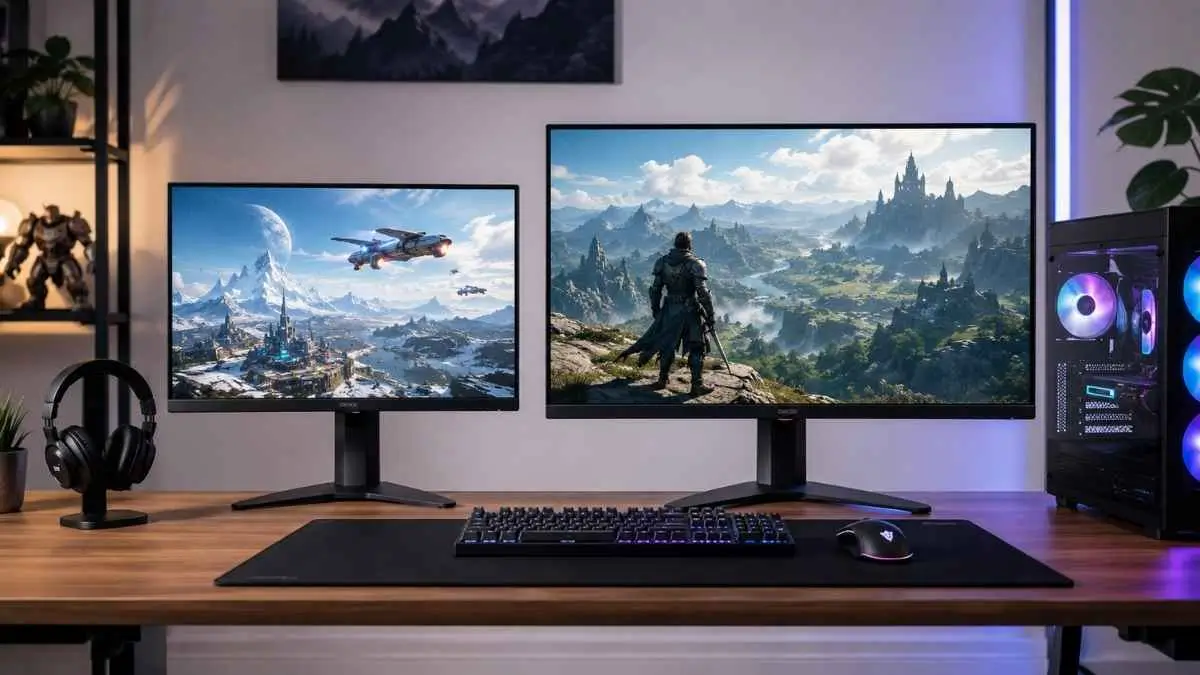

24 Inch vs 27 Inch Monitor for Gaming is not just a size comparison. Your choice affects image sharpness, frame-rate potential, viewing comfort, desk space, and how immersive games feel. A 24-inch monitor usually works better for competitive FPS gaming, compact desks, high refresh rates, and budget-friendly 1080p setups. A 27-inch monitor is generally better for sharp 1440p gaming, immersive single-player titles, multitasking, and mixed-use setups.
Screen size alone doesn’t decide performance. Resolution, refresh rate, GPU power, viewing distance, and the type of game you play most all interact with size to shape the experience. A 24-inch 1080p panel and a 27-inch 1080p panel behave differently even though the resolution is identical, and a 27-inch 1440p monitor asks more of your graphics card than either of them.
24-Inch vs 27-Inch Monitor for Gaming: Quick Comparison
A 24-inch monitor favors competitive FPS gaming, lower GPU demand, and compact desks, typically at 1080p. A 27-inch monitor favors immersive and mixed gaming, sharper detail at 1440p, and general versatility, but needs more desk depth and a stronger GPU to hit the same frame rates.
| Feature | 24-Inch Monitor | 27-Inch Monitor |
|---|---|---|
| Best resolution | 1080p | 1440p |
| Best for | Competitive FPS | Mixed and immersive gaming |
| Typical viewing distance | 20–28 inches | 24–36 inches |
| GPU demand | Lower | Higher at 1440p |
| Desk space | Compact | Requires more room |
| Affordability | Usually cheaper | Usually more expensive |
| Image sharpness | Sharp at 1080p | Sharpest at 1440p |
| Eye movement | Less | Slightly more |
| Overall recommendation | Esports and budget gaming | Most PC gamers |
What Is the Actual Size Difference Between 24 and 27 Inches?
A 27-inch monitor has a 12.5% larger diagonal than a 24-inch monitor, while its screen area is roughly 27% larger. On a desk, this makes a 27-inch display feel noticeably bigger than the three-inch difference suggests.
Screen dimensions and usable display area
Monitor sizes are measured diagonally, corner to corner, not by width or height alone. That three-inch jump from 24 to 27 inches is why a 27-inch monitor feels substantially larger once it’s placed at a normal viewing distance, rather than being a marginal step up in practice.
Does the size difference matter during gaming?
Yes. A 27-inch monitor places HUD elements farther from the center and may require slightly more eye movement at close range. A 24-inch screen keeps more of the action within a compact view, while a 27-inch screen fills more of your vision and can feel more immersive in open-world and story-driven games. Monitor size does not change the game’s rendered field of view unless you adjust the in-game FOV setting.
Resolution and Pixel Density: Which Size Looks Sharper?
Pixel density, measured in pixels per inch, determines how sharp an image looks at a given size. A 24-inch 1080p screen has higher pixel density than a 27-inch 1080p screen, while a 27-inch 1440p screen has the highest density of the three common combinations, at roughly 109 PPI.
24-inch monitor at 1080p
A 24-inch 1080p panel delivers approximately 92 pixels per inch. That density produces clean, sharp text and image detail at typical desktop viewing distances, and it’s forgiving enough that midrange and entry-level GPUs can drive high frame rates without the resolution becoming a bottleneck, which is a big part of why this pairing stays popular for high-frame-rate competitive gaming.
27-inch monitor at 1080p
Stretching the same 1080p resolution across 27 inches lowers pixel density to around 82 PPI, since the same number of pixels is spread over more physical space. Individual pixels can become more noticeable at this size, particularly when sitting close to the screen. It can still work for budget gaming or for players who sit farther back, but it’s generally the weakest of the three main size-and-resolution pairings.
27-inch monitor at 1440p
Pairing a 27-inch screen with 1440p raises pixel density to roughly 109 PPI, the highest of the three combinations discussed here. That density delivers sharper images, finer texture and UI detail, and more usable desktop space, and it’s part of why panel technology matters just as much as size when comparing picture quality; our breakdown of monitor panel types covers how IPS, VA, and TN differences layer on top of resolution.
24-inch 1080p vs 27-inch 1440p
These two configurations represent the most common real-world choice, so it’s worth comparing them directly.
| Factor | 24-Inch 1080p | 27-Inch 1440p |
|---|---|---|
| Sharpness | Sharp, ~92 PPI | Sharper, ~109 PPI |
| GPU requirement | Lower | Higher |
| Frame rate potential | Easier to sustain at high refresh rates | Requires stronger hardware for the same frame rate |
| Typical pricing | Usually lower | Usually higher, especially at higher refresh rates |
| Overall experience | Fast, efficient, esports-focused | More detailed, more versatile across genres |
Neither configuration is objectively superior. A 24-inch 1080p setup lets a modest GPU sustain very high frame rates, which matters more in competitive shooters where consistency counts. A 27-inch 1440p setup asks more of the graphics card but returns a sharper, more detailed image that suits a broader range of games.
Which Monitor Size Is Better for Competitive FPS Gaming?
A 24-inch monitor is often preferred for competitive FPS gaming because it keeps the full screen easier to scan and commonly pairs with 1080p, which is less demanding than 1440p. A 27-inch monitor can still work well when the player sits farther back and uses a high-refresh-rate panel.
The question comes up most often around games like Counter-Strike 2, Valorant, Rainbow Six Siege, Overwatch 2, Fortnite, and Apex Legends, where frame rate consistency and target visibility both matter.
Why competitive gamers often choose 24-inch monitors
The whole screen is easier to take in without excessive eye movement, since everything sits closer to the center, and smaller screens work well at the close viewing distances many competitive players prefer, often inside 24 inches. High-refresh-rate 24- to 25-inch monitors are also widely available, including many models built specifically around esports use, and 1080p places less rendering demand on the GPU, making it easier to maintain high, stable frame rates on a wider range of hardware.
Can a 27-inch monitor be good for competitive gaming?
Yes, under the right conditions. A 27-inch monitor can suit competitive play when the player sits farther from the screen, the monitor supports a high refresh rate and low response time, or the player simply prefers larger, easier-to-see targets. It’s worth being careful here, since a smaller monitor does not automatically make someone a better player. Comparisons of display size and gaming performance generally point to resolution, refresh rate, and personal viewing distance as bigger factors than diagonal size on its own.
Which Size Is Better for Immersive and Single-Player Games?
A 27-inch monitor is generally better for immersive single-player games because the larger screen fills more of your vision, while 1440p provides sharper environmental details, cutscenes, and interface elements. The benefit depends on using a comfortable viewing distance and having enough desk depth.
Genres like open-world games, racing games, RPGs, adventure titles, simulation games, and strategy games tend to benefit from a larger display in ways competitive shooters don’t. At a normal desk distance, a 27-inch monitor fills more of your vision and makes environmental details easier to appreciate. It also offers more space for maps, inventories, and the layered interfaces common in RPGs and strategy games.
Pairing that size with 1440p adds the detail needed to make dense environments look clean rather than muddy. However, the advantage isn’t automatic, since it depends on having a desk deep enough to place the monitor at a comfortable distance rather than too close.
Looking for more display options beyond screen size? Check our best gaming monitor recommendations to find the right monitor for different gaming needs.
Refresh Rate and Response Time: Does Monitor Size Matter?
Screen size doesn’t directly limit refresh rate or response time, but the two tend to correlate through resolution. 24 to 25-inch monitors at 1080p often push 240Hz to 360Hz more affordably, while many 27-inch 1440p monitors settle into the 144Hz to 240Hz range instead.
Common refresh-rate options
Gaming monitors are commonly available at 144Hz, 165Hz, 180Hz, 240Hz, and 360Hz or higher. Refresh rate describes how many times per second the display can update the image. In contrast, response time describes how quickly individual pixels can shift between colors, which affects motion blur and ghosting independently of refresh rate.
Availability by monitor size
24- to 25-inch 1080p monitors are widely available with 240Hz, 360Hz, and higher refresh rates because competitive players often prioritize speed over resolution. Many 27-inch models instead combine 1440p with refresh rates between 144Hz and 240Hz. Refresh rate and response time still vary by model, so check the exact specifications and independent performance tests before buying.
GPU Performance: Is 24-Inch or 27-Inch Easier to Run?
Screen size itself doesn’t affect GPU load; resolution does. A 24-inch monitor and a 27-inch monitor running the same resolution place identical rendering demand on a GPU, so the real difference comes from the resolution each size is typically paired with.
GPU requirements for 1080p gaming
Rendering at 1080p requires the GPU to draw roughly 2.1 million pixels per frame. That lighter load translates into higher achievable frame rates on the same hardware, makes budget and midrange graphics cards viable for high-refresh-rate play, and is a major reason 1080p remains the default choice for esports-focused builds.
GPU requirements for 1440p gaming
1440p renders roughly 3.7 million pixels per frame, about 78% more than 1080p. Sustaining the same frame rate at 1440p requires meaningfully more GPU power, though the payoff is sharper detail and a cleaner image. Upscaling technologies such as DLSS, FSR, or XeSS can help narrow this gap by rendering internally at a lower resolution and reconstructing detail, which is worth considering if the GPU is a limiting factor. The GPU needed for smooth 1440p gaming depends on the game, graphics settings, target frame rate, and upscaling mode. Check recent benchmarks for your specific graphics card rather than relying on a broad performance tier.
Viewing Distance and Desk Space
A 24-inch monitor is typically viewed from about 20 to 28 inches away, while a 27-inch monitor is typically viewed from about 24 to 36 inches away. Desk depth is often the deciding factor, since shallow desks suit 24-inch monitors better and deeper desks accommodate 27-inch monitors more comfortably.
Recommended distance for a 24-inch monitor
A practical starting range is about 20 to 28 inches, adjusted for eyesight and personal preference. Sitting closer than this can make it harder to see the full screen without noticeable eye strain over long sessions.
Recommended distance for a 27-inch monitor
A practical starting range is about 24 to 36 inches. Sitting too close to a 27-inch panel can make peripheral content harder to track and can also make lower resolutions look less sharp than they would at a proper distance.
Desk-depth considerations
Shallow desks generally suit 24-inch monitors better, since there’s less room to push the screen back to a comfortable distance. In contrast, deeper desks can accommodate 27-inch monitors without forcing an uncomfortably close viewing distance. A monitor arm can help either way, since it frees desk space and makes it easier to fine-tune distance and height rather than being locked into wherever a stock stand happens to sit. Measuring desk depth before buying is a simple step that avoids a common and avoidable regret.
24-Inch vs 27-Inch for Different Gaming Setups
Budget- and competitive-focused builds generally pair better with a 24-inch 1080p monitor. Midrange builds sit closer to a choice between 24-inch 1080p and 27-inch 1440p, while high-end builds gain more from a 27-inch 1440p or 4K panel once GPU performance is no longer the main limitation.
Best size for a budget gaming PC
A 24-inch 1080p monitor is the more practical choice here, since it keeps GPU demands lower and lets a modest graphics card still deliver a smooth, high-frame-rate experience. If budget is the main constraint on the whole setup, not just the display, our list ofbest gaming monitors under $200 is a reasonable starting point.
Best size for a midrange gaming PC
This is where the decision gets closer. A 24-inch 1080p monitor at a very high refresh rate suits players who prioritize frame rate and competitive genres, while a 27-inch 1440p monitor at 144 to 180Hz suits players who want sharper visuals and are comfortable with a moderate frame rate trade-off.
Best size for a high-end gaming PC
A stronger GPU removes most of the frame rate penalty of higher resolution, which makes 27-inch 1440p high-refresh-rate monitors, and increasingly 4K options, a more sensible fit for hardware in this tier.
Best size for gaming laptops
External monitor choice for a gaming laptop depends on the laptop’s GPU and video output. A 24-inch 1080p monitor is easier for modest mobile GPUs to drive, while a 27-inch 1440p monitor suits stronger laptops and mixed use. Check the HDMI or USB-C DisplayPort limits before buying.
Best size for a dual-monitor setup
Dual-monitor setups add practical constraints beyond gaming performance alone. Desk width often decides whether two 27-inch monitors are realistic or whether 24-inch panels are the more comfortable fit; matching resolutions across both monitors avoids scaling inconsistencies, and thinner bezels reduce the visual gap between screens. A dual-monitor arm can also make positioning both displays at a consistent height and distance far easier than relying on their stock stands.
Is a 24-Inch or 27-Inch Monitor Better for Console Gaming?
A 27-inch monitor is generally more immersive for desk-based console gaming, especially at 1440p and up to 120Hz. A 24-inch monitor is better for limited desk space or closer viewing distances. HDMI 2.1 is useful for higher-bandwidth modes, but it is not always required for 1440p at 120Hz.
Console gaming introduces different considerations from PC gaming. The PlayStation 5 and Xbox Series X can output 1440p and run supported games at up to 120Hz when the monitor, HDMI port, cable, console settings, selected resolution, and game support that mode. HDMI 2.1 is not always required for 1440p at 120Hz because some compatible monitors support it through HDMI 2.0. The Xbox Series S commonly targets 1080p or 1440p. At a desk, 27 inches usually feels more immersive, while 24 inches suits tighter spaces and closer viewing distances.
Advantages and Disadvantages of a 24-Inch Gaming Monitor
A 24-inch monitor’s main strengths are lower cost, compact size, and strong 1080p pixel density, while its main weaknesses are limited immersion and less screen space for multitasking or detailed interfaces.
Advantages
- Lower purchase price
- Compact size that fits smaller or shallower desks
- Good pixel density at 1080p
- Easier to view the entire screen without extra eye movement
- Lower GPU requirements at 1080p
- Wide selection of dedicated esports monitors
Disadvantages
- Less immersive for open-world and story-driven games
- Limited screen space for multitasking
- Smaller interface elements, maps, and HUDs
- Less suited to side-by-side multitasking
- Fewer premium 1440p model options at this size
Advantages and Disadvantages of a 27-Inch Gaming Monitor
A 27-inch monitor’s main strengths are immersion, sharpness at 1440p, and versatility across genres and productivity use. In contrast, its main weaknesses are higher cost, greater desk-space needs, and higher GPU demand at 1440p.
Advantages
- More immersive experience, particularly for single-player and open-world genres
- Strong pairing with 1440p resolution and pixel density
- Better suited to productivity and multitasking
- Larger, easier-to-read interface elements
- A strong all-around choice across mixed game libraries
Disadvantages
- Requires more desk depth
- Higher price, especially at 1440p and higher refresh rates
- 1440p gaming demands more GPU power to sustain frame rates
- More eye movement required at close viewing distances
- 1080p looks noticeably less sharp at this size
24-Inch vs 27-Inch Monitor: Which Should You Choose?
Choose a 24-inch monitor for competitive FPS gaming, maximum frame rates, and smaller desks. Choose a 27-inch monitor for mixed or immersive gaming, 1440p resolution, and setups that also handle productivity work, provided the desk and GPU can support it.
If you also need help comparing refresh rate, resolution, response time, and panel technology, read our guide to choosing a monitor for gaming.
Choose a 24-inch monitor if:
- You mainly play competitive FPS games.
- You prioritize maximum frame rates over resolution.
- You plan to game primarily at 1080p.
- You have a small or shallow desk.
- You’re building a budget-focused gaming setup.
- You prefer minimal eye movement while playing.
Choose a 27-inch monitor if:
- You play a mix of game genres rather than primarily one.
- You want a more immersive visual experience.
- You plan to use 1440p resolution.
- The monitor also needs to handle work or content creation.
- Your GPU can comfortably handle 1440p gaming.
- Your desk has enough depth for a comfortable viewing distance.
Final Verdict: Is 24 or 27 Inches Better for Gaming?
There is no universal winner between a 24-inch and a 27-inch monitor for gaming. A 24-inch 1080p monitor is the stronger pick for competitive gaming and weaker GPUs, while a 27-inch 1440p monitor is the stronger all-around pick for most PC gamers who play a mix of genres.
- Best for competitive gaming: 24-inch 1080p at a high refresh rate
- Best for most PC gamers: 27-inch 1440p at a high refresh rate
- Best for small desks: 24 inches
- Best for immersive gaming: 27 inches
- Best for weaker GPUs: 24-inch 1080p
- Best long-term all-around choice: 27-inch 1440p
The right choice depends on the type of games you play most, how powerful your GPU is, how far you sit from the screen, and what you’re willing to spend. Players locked into competitive shooters have good reason to lean toward 24-inch 1080p, while players who move between genres, care about visual detail, or also use the monitor for work generally get more long-term value from a 27-inch 1440p setup.
After choosing the right screen size, our guide to the best Acer monitor settings for gaming can help you adjust refresh rate, brightness, contrast, Overdrive, and console options on compatible Acer displays.
Frequently Asked Questions
Is 24 inches too small for gaming?
No. A 24-inch monitor remains a practical, widely used size for both desktop and competitive gaming. It keeps the full screen easy to view at close distances and pairs well with 1080p, which is why it’s still a common choice among competitive players rather than a compromise size.
Is 27 inches too big for competitive gaming?
Not inherently. Whether 27 inches works well for competitive play depends on viewing distance, resolution, and personal preference. Sitting farther back and pairing the screen with a high refresh rate can make it just as viable as a 24-inch setup for many players.
Is 1080p better on a 24-inch or 27-inch monitor?
1080p generally looks better on a 24-inch monitor because the same resolution is spread across a smaller physical area. Pixel density is about 92 PPI at 24 inches and 82 PPI at 27 inches, so text, edges, and fine details usually appear sharper on the smaller screen at normal viewing distances.
Is 1440p worth it on a 27-inch monitor?
Yes, for most use cases. 1440p on a 27-inch screen raises pixel density to around 109 PPI, improving sharpness and adding usable screen space compared to 1080p, though it does require a stronger GPU to sustain the same frame rate.
Do professional gamers use 24-inch or 27-inch monitors?
24- to 25-inch high-refresh-rate monitors are common in esports because the compact screen is easy to scan and 1080p helps systems sustain very high frame rates. Equipment choice alone does not determine performance, and many skilled competitive players also use larger monitors based on preference and viewing distance.
Is a 27-inch 1080p monitor bad for gaming?
It’s usable, but it’s the weakest of the common size-and-resolution pairings. Lower pixel density at this size can make the image look less sharp, especially at closer viewing distances. However, it can still be a reasonable budget option for players sitting farther back.
What monitor size is best for FPS gaming?
24 to 25 inches suit players prioritizing competitive play and maximum frame rates, while 27 inches suit players who want both solid visibility and a more immersive picture. Neither is universally correct, since it depends on viewing distance and priorities.
How far should I sit from a 24-inch or 27-inch monitor?
A practical starting point is 20 to 28 inches for a 24-inch monitor and 24 to 36 inches for a 27-inch monitor. Adjust from there based on comfort, eyesight, and desk depth rather than treating either range as a fixed rule.

Leave a Reply